Very useful example to set the System Component field in an issue using Groovy in a PostFunction.
Read More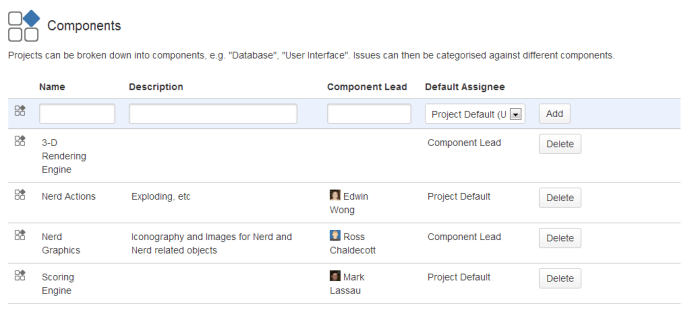

www.MrAddon.com ®: Jira & Confluence Administration Support Blog
jira confluence admin administration support script scriptrunner groovy mraddon barcelona plugin custom development it technology barcelonatech development
Very useful example to set the System Component field in an issue using Groovy in a PostFunction.
Read More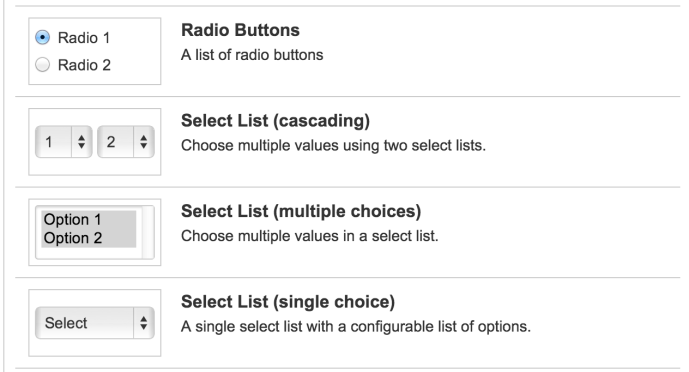
Very useful example to get the values of a cascading customfield using Groovy in Jira.
Read More
Sometimes we need to create a special ticket for the Versions that we Release (with the subtasks that composes the version listed inside the “Version” ticket, for example as linked issues). Using Groovy with Adaptavist Scriptrunner and JIRA this task is very easy. Just we need to configure an inline Script Listener in the Event:…
Read More
Sometimes we need to schedule some mails to be sent to different groups of Jira. For example, for worklog compliance, or similar cases. For this reason in Jira we usually create Services to do these tasks. We cannot send mails directly to groups, but with a simple script we can obtain the mail list of…
Read More
Create your token in Waves it’s very easy, it costs 1 Wave ( about 10 USD at today price). You can tokenize your assets ( very interesting for Art Gallery collections) and transfer to Waves accounts. It uses a Google Chrome plugin (similar that happens with Ethereum and MetaMask, but in a simple way… )…
Read More
To start, we need to create a Smart-Contract in the Ethereum Testnet, we can use Remix and MetaMask If you don’t know how to, you can read these posts: Creating my first Ethereum Smart-Contract in Test net Creating MrAddon token in Ethereum We will use this code: Once connected with our MetaMask ( plugin of…
Read More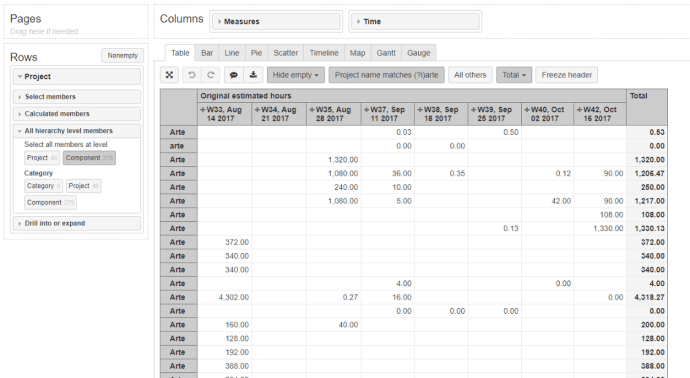
To group all components which match a name, for example “Arte”, we can define a new calculated member in dimension “Project” using function Aggregate(). Aggregate({ Filter( [Project].Members, [Project].[Component].CurrenthierarchyMember.Name MATCHES “(?i)arte”) }) In the screenshot example, we can see a lot of components from all projects called “Arte” or “arte”, to know the Estimated time by…
Read More
(IMPORTANT UPDATE OF THIS POST: See How to calculate “Lead Time” or “Real Average Resolution Days” with eazyBI and JIRA (Part II)) The default calculated measure of eazyBI “Average Resolution Days” counts until the last Resolution filled ( not until the first value of the Resolution field), then if you set a new Resolution from “Resolved”…
Read More
Here a fantastic post of Marjan Sterjev from the Company InterWorks. JIRA REST API User Impersonation JIRA is one of the best, if not the best, task management systems on the market. Besides JIRA’s powerful out-of-the-box features, the whole product has rich add-on (plugin) mechanism that can help you customize many JIRA aspects. JIRA exposes REST…
Read More
Imagine, you want a report chart by month and you want to get the issues that are still in “Open” . Then you can create a Calculated Measure using Tuples. For example, to get from the Issues Created, the Issues in “Open” status. You can use this tuple: ([Measures].[Issues created],[Status].[Open]) Then, to get the Date…
Read More
In Jira, always the status name is shown capitalized, and in several applications we must know the name of the status in case sensitive… What we can do to know the REAL name of the Status in Jira? … Very easy! We can do a REST call to the Jira REST API like this: http://your-site-here/rest/api/latest/status/…
Read More
To make editable the field “Original Estimate” after log work in the Issue, you must change the “Legacy Mode” in the “Time Tracking” configuration. About ‘Legacy Mode’ If Legacy Mode is disabled, your users will be able to change the Original Estimate value irrespective of any work being logged on an issue. Legacy Mode is disabled by default…
Read MoreOur recommended books:
 |
 |
 |
 |
 |
 www.MrAddon.com ®: Jira & Confluence Administration Support Blog