Download PDF: jQuery-1.7-Visual-Cheat-Sheet See ONLINE jQuery Visual Cheat Sheet: http://jqapi.ru/ Indispensable for Javascript JIRA Add-ons
Read More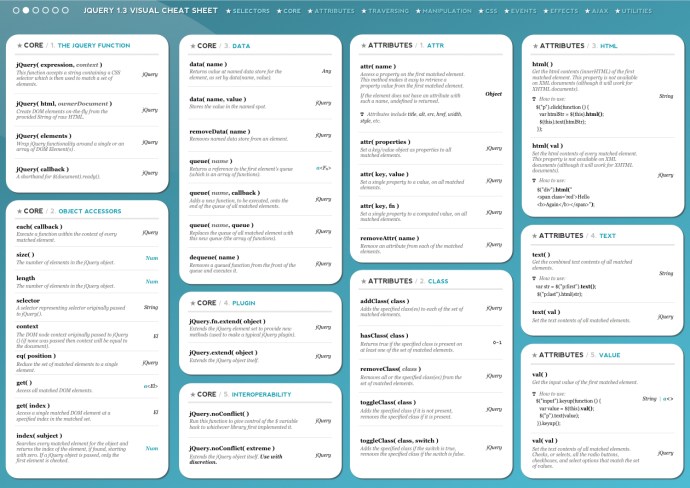

www.MrAddon.com ®: Jira & Confluence Administration Support Blog
jira confluence admin administration support script scriptrunner groovy mraddon barcelona plugin custom development it technology barcelonatech development
Download PDF: jQuery-1.7-Visual-Cheat-Sheet See ONLINE jQuery Visual Cheat Sheet: http://jqapi.ru/ Indispensable for Javascript JIRA Add-ons
Read More
Hi all! This is an extension for your JIRA to print beautiful cards from the [AGILE RAPID BOARDS]. The original code author is qoomon.com [ Bengt Brodersen ] and now is a plugin by Rauliki with the permission of the original creator. Select the cards with “Shift” or “Ctrl” key Pressed. Now the button “Print”…
Read More
New colors for two kind of status [red] for “Cancel” or “Cancelled”, “Suspend” or “Suspended”, “Reject” or “Rejected” and [orange] for “Wait” or “Waiting”, “Hold”, “On Hold”, “Pause” or “Paused”. Only you need to create the new status using this names.(containing one of this words,i.e. for word “Waiting”: “Waiting for Customer”, “On Waiting”, …). This…
Read MoreComing soon in Atlassian Marketplace & FREE! To make our lives happier! One plugin to print nice cards through the Agile Rapid Board, and another one to set colors to the “rejected/canceled/suspended” status and “waiting/on hold/paused” status
Read MoreVery easy, see the JQL example: Project = “JIRA” AND Status CHANGED TO “In Progress” DURING (“2015/08/01″,”2015/10/05”) Other Syntax: This JQL shows all issues which have been in “Status A” for more than 14 days project=XXX and status changed to “Status A” before startofday(-14) and status = “Status A” This JQL shows all issues which…
Read MoreThe following example JVM settings are recommended for most production servers (JIRA works better as standalone installation): -server -Xms24G -Xmx24G -XX:PermSize=512m -XX:+UseG1GC -XX:MaxGCPauseMillis=200 -XX:ParallelGCThreads=20 -XX:ConcGCThreads=5 -XX:InitiatingHeapOccupancyPercent=70 For production replica servers (test environments), use the example settings: -server -Xms4G -Xmx4G -XX:PermSize=512m -XX:+UseG1GC -XX:MaxGCPauseMillis=200 -XX:ParallelGCThreads=20 -XX:ConcGCThreads=5 -XX:InitiatingHeapOccupancyPercent=70 For standalone installations (recommended in JIRA large installations), use the…
Read MoreStep 1. Create the plugin project If you have not already set up the Atlassian Plugin SDK, do that now: Set up the Atlassian Plugin SDK and Build a Project. Enter the following command to create a plugin skeleton: atlas-create-jira-plugin Choose 1 for JIRA 5 when asked which version of JIRA you want to create…
Read More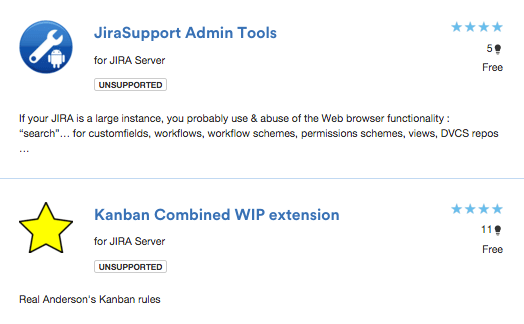
Today is a goooood DAY! New release of “Kanban Combined WIP extension” and “JiraSupport Admin tools” plugins for JIRA, mow more COOLs & AMAZINGs! DOWNLOAD FROM ATLASSIAN MARKETPLACE
Read MoreDownload the plugin Kepler Custom Fields Create a SIL Script Custom Field In the custom field configuration set a new script like this: return getLastComment(key)[“text”]; Insert the custom field in the screen That’s all! SIL Syntax programming
Read More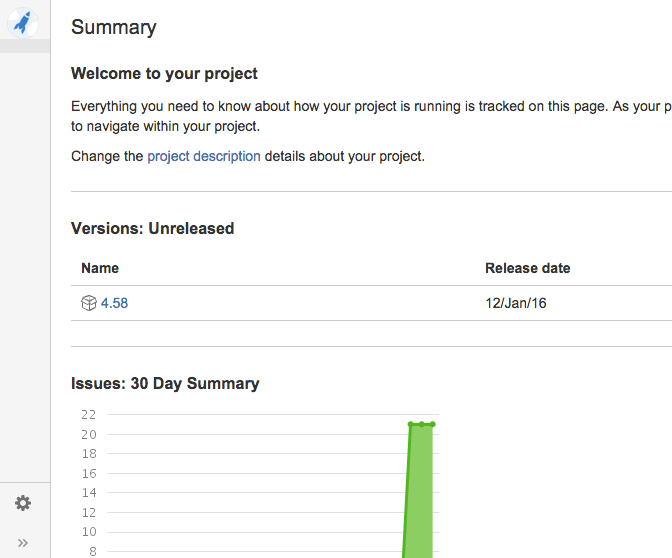
Login as an administrator and go to [BASE-URL]/secure/SiteDarkFeatures!default.jspa In the Enable Dark Feature text field add com.atlassian.jira.projects.ProjectCentricNavigation This will enable the navigation sidebar for ALL users
Read MoreOur recommended books:
 |
 |
 |
 |
 |
 www.MrAddon.com ®: Jira & Confluence Administration Support Blog