
MySQL query to get the last login of all members of the confluence-users group SELECT distinct u.lower_user_name, l.successdate FROM cwd_user u LEFT JOIN logininfo l ON u.user_name = l.username JOIN cwd_membership m ON u.id = m.child_user_id JOIN cwd_group g ON m.parent_id = g.id JOIN spacepermissions sp ON g.group_name = sp.permgroupname WHERE permtype=’USECONFLUENCE’ order by u.lower_user_name; …
Read MoreExport More than 1000 Issues to Excel from Issue Navigator in JIRA
Symptoms By default both JIRA issue navigator and REST API return a maximum of 1000 search results. Hence when exporting to Excel, JIRA will only export the first 1000 issues. Cause The maximum allowable value is dictated by the JIRA property ‘jira.search.view.default.max’ which is set to 1000 by default. Unfortunately it is not possible to…
Read More
Confluence trick: Put a button to create a Blog Entry
Very easy!… Insert the HTML Macro Inside the Macro put this code:
Read More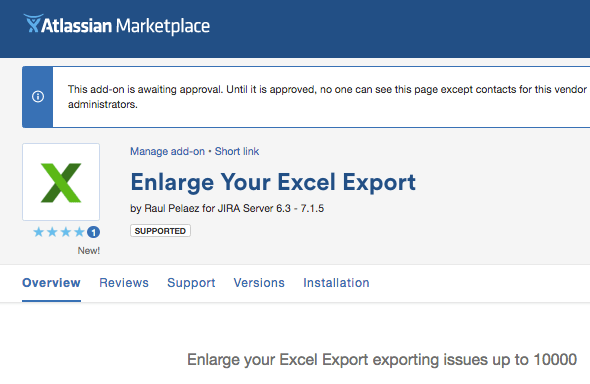
New plugin IS COMING! “Enlarge Your Excel Export”
In large instances, the list of issues in the search view should be limited by the Administrator, as a consequence, the Excel export is limited too…. With this plugin, a new option is shown to export up to 10000 issues with the current fields of the current view, search or filter. VERY HELPFUL SURE 😉…
Read More
Configure NGINX to HTTP/2
Experimental support for HTTP/2 became available in Nginx version 1.9.5 (mainline). It is really easy to enable, and I’ll show you how. If you’re already running SPDY, please note that the SPDY module have been replaced with the HTTP/2 module in Nginx. Fortunately, to run HTTP/2 you just need to upgrade to Nginx 1.9.5 or…
Read MoreConfigure Tomcat 9 for HTTP/2
The Goal of HTTP2 The goal of HTTP/2 is to increase the perceived performance of the web browsing experience. Why Do We Need HTTP2 A web page has many resources that need to be load. In HTTP 1.0 requests for all resources are sent all at once and the server responds to each request. If…
Read More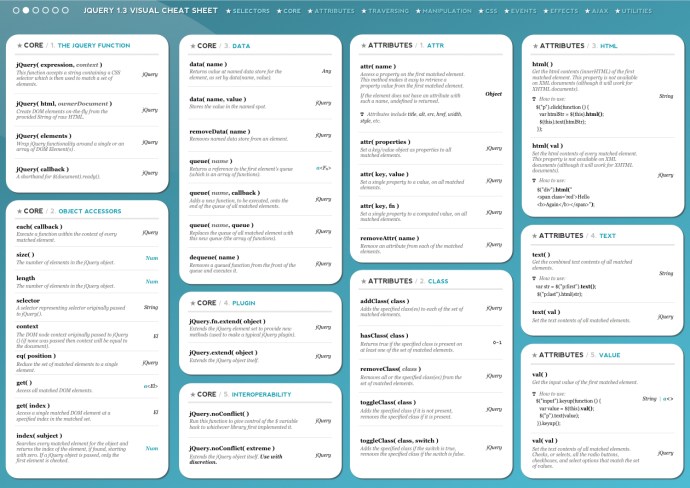
jQuery Visual Cheat Sheet Support
Download PDF: jQuery-1.7-Visual-Cheat-Sheet See ONLINE jQuery Visual Cheat Sheet: http://jqapi.ru/ Indispensable for Javascript JIRA Add-ons
Read More
New plugin FREE to print Cards in JIRA from the Rapid Board!
Hi all! This is an extension for your JIRA to print beautiful cards from the [AGILE RAPID BOARDS]. The original code author is qoomon.com [ Bengt Brodersen ] and now is a plugin by Rauliki with the permission of the original creator. Select the cards with “Shift” or “Ctrl” key Pressed. Now the button “Print”…
Read More
New plugin for JIRA: New Status Colors FREE
New colors for two kind of status [red] for “Cancel” or “Cancelled”, “Suspend” or “Suspended”, “Reject” or “Rejected” and [orange] for “Wait” or “Waiting”, “Hold”, “On Hold”, “Pause” or “Paused”. Only you need to create the new status using this names.(containing one of this words,i.e. for word “Waiting”: “Waiting for Customer”, “On Waiting”, …). This…
Read MoreNew plugins are COMING! for JIRA & FREE
Coming soon in Atlassian Marketplace & FREE! To make our lives happier! One plugin to print nice cards through the Agile Rapid Board, and another one to set colors to the “rejected/canceled/suspended” status and “waiting/on hold/paused” status
Read MoreTuning JVM Garbage Collector (Best values for JIRA 6 & 7 large instances)
The following example JVM settings are recommended for most production servers (JIRA works better as standalone installation): -server -Xms24G -Xmx24G -XX:PermSize=512m -XX:+UseG1GC -XX:MaxGCPauseMillis=200 -XX:ParallelGCThreads=20 -XX:ConcGCThreads=5 -XX:InitiatingHeapOccupancyPercent=70 For production replica servers (test environments), use the example settings: -server -Xms4G -Xmx4G -XX:PermSize=512m -XX:+UseG1GC -XX:MaxGCPauseMillis=200 -XX:ParallelGCThreads=20 -XX:ConcGCThreads=5 -XX:InitiatingHeapOccupancyPercent=70 For standalone installations (recommended in JIRA large installations), use the…
Read MoreTutorial – Adding a JQL function to JIRA 6 – 7
Step 1. Create the plugin project If you have not already set up the Atlassian Plugin SDK, do that now: Set up the Atlassian Plugin SDK and Build a Project. Enter the following command to create a plugin skeleton: atlas-create-jira-plugin Choose 1 for JIRA 5 when asked which version of JIRA you want to create…
Read More


 www.MrAddon.com ®: Jira & Confluence Administration Support Blog