You’ve been waiting for it for a long time! We have great news for you, as New Status Colors PRO for Jira Cloud now supports ALL Jira screens. We detail the news here: See those examples: MrAddon by TecnoFor .
Read More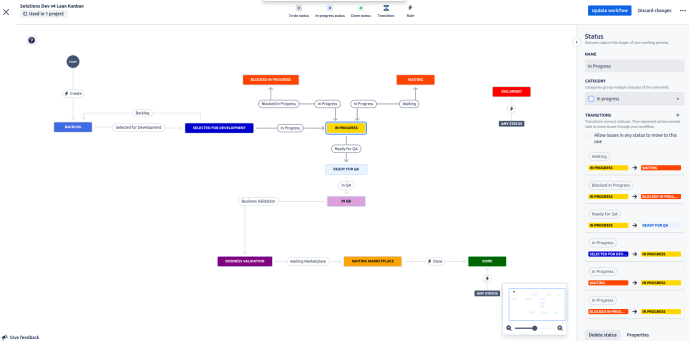

www.MrAddon.com ®: Jira & Confluence Administration Support Blog
jira confluence admin administration support script scriptrunner groovy mraddon barcelona plugin custom development it technology barcelonatech development
You’ve been waiting for it for a long time! We have great news for you, as New Status Colors PRO for Jira Cloud now supports ALL Jira screens. We detail the news here: See those examples: MrAddon by TecnoFor .
Read More
Are you looking to supercharge your Jira Kanban boards and optimize your workflow? Alex Ortiz from Apetech, based in California, USA, has created an incredible video showcasing the benefits of incorporating TecnoFor’s Jira Cloud apps, “Kanban Combined WIP for Jira Cloud” and “New Status Colors PRO for Jira Cloud“ In the video, Alex dives into…
Read More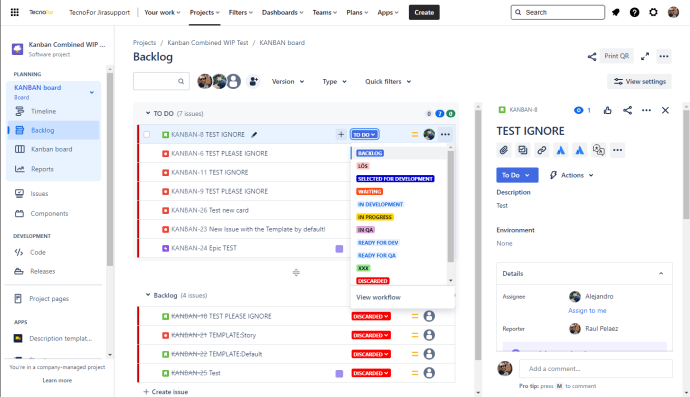
We’re thrilled to announce that our “New Status Colors PRO for Jira Cloud” app has expanded its compatibility to include Jira Work Management projects and the new backlogs of the enhanced boards in Jira Software Cloud. Now, managing your projects and tasks is not only efficient but also visually engaging. ✨ With the addition of…
Read More
Watch this interesting video to learn Visual Management in #Jira. Kanban Combined WIP and New Status Colors Pro are both apps that are awesome for achieving better visibility and efficiency in your Jira. I personally recommend these two apps developed by Tecnofor. Apps link: Kanban combined WIP: https://marketplace.atlassian.com/apps/1215516/kanban-combined-wip-for-jira-cloud?tab=overview New Status Colors Pro: https://marketplace.atlassian.com/apps/1216518/new-status-colors-pro-for-jira-cloud?hosting=cloud&tab=overview .
Read More
🌟 Exciting News! 🌟 We’re thrilled to announce that New Status Colors PRO for Jira Cloud by TecnoFor now offers full compatibility not just with Chrome, Firefox, and Edge, but also with Apple Safari! 🍏 Enjoy a consistent experience in managing your tasks and projects. Keep your tasks organized, enhance productivity, and gain clarity within…
Read More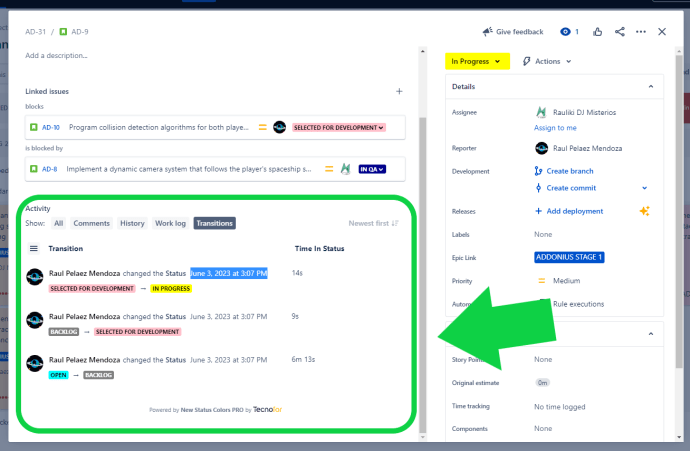
For Jira users who rely on the eazyBI reporting plugin, accurate and timely data synchronization is crucial. The New Status Colors PRO app offers a valuable feature, the Transition Panel, which simplifies the process of tracking transition dates within issues. Rather than manually searching through numerous issues to find the relevant transition dates for reporting…
Read More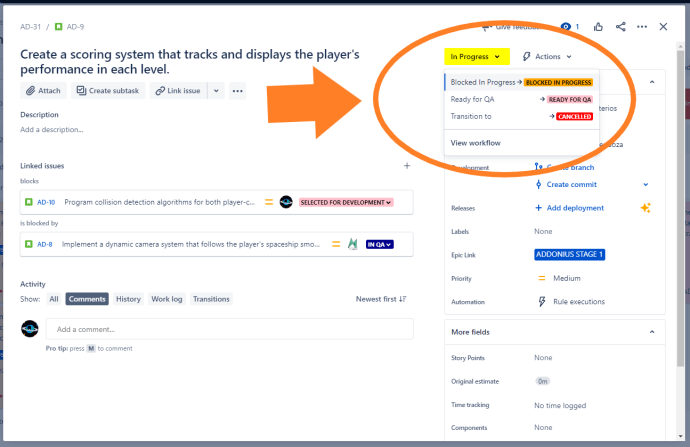
Waiting states in your Jira workflow are crucial to track, as they often represent dependencies or pending actions. To ensure these states are easily identifiable, consider using the color orange in New Status Colors PRO. By coloring statuses such as “Blocked,” “On Hold,” and “Waiting for…” in orange, you create a visual cue that distinguishes…
Read More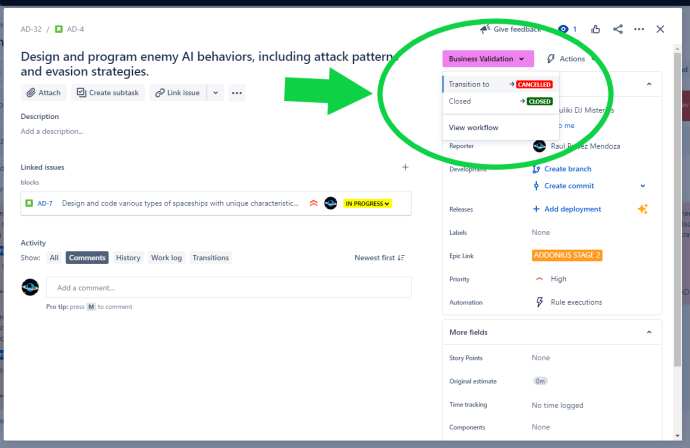
By default, Jira uses green to indicate positive statuses, which can lead to confusion when dealing with negative states. However, with New Status Colors PRO, you have the power to redefine these negative states by coloring them in red. By assigning red to statuses like “Deny,” “Cancelled,” “Discarded,” and “Failed,” you create a clear visual…
Read More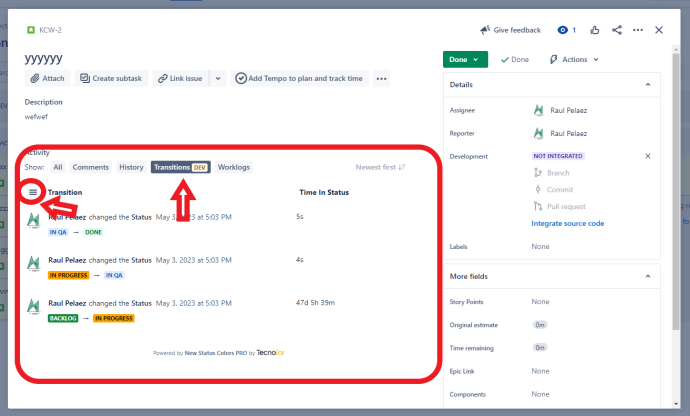
New Status Colors PRO for Jira Cloud users will have a super new feature starting tomorrow! With these new superpowers you will be able to see all the information you need within the Issues: A Transitions panel to track and audit ticket transitions, another panel with the most relevant Transitions and a last panel with…
Read More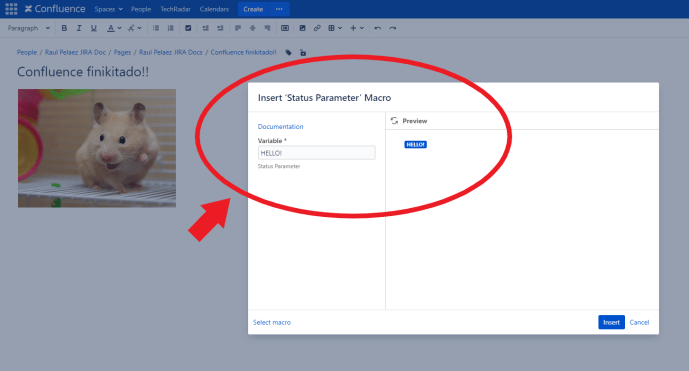
Configure the User macro: That’s all! Try it in some Confluence page MrAddon by TecnoFor .
Read More
This Jira Cloud tutorial will show you how to install and use the New Status Colors PRO for Jira Cloud add-on. This add-on gives you the ability to customize the colours of your Jira issues and tasks. If you’re looking for a way to make your Jira issues and tasks look more colourful and appealing,…
Read More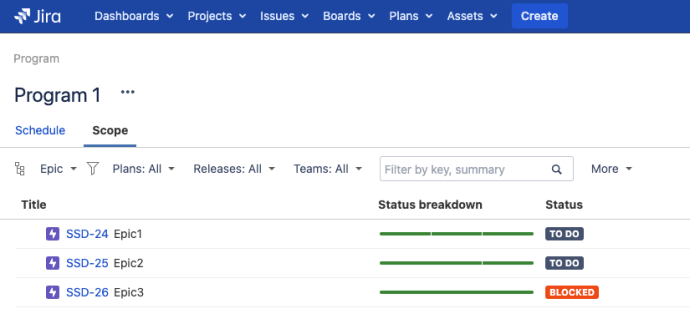
Yes, you heard that right! You can now colorize the statuses of your Plans (Atlassian Advanced Roadmaps) programs in both Jira Server/Datacenter and Jira Cloud. Your Jira Admin does not have to configure anything extra, it is plug’n’playYou just have to update the App in your Jira system Here I attach some screenshots, if you…
Read MoreOur recommended books:
 |
 |
 |
 |
 |
 www.MrAddon.com ®: Jira & Confluence Administration Support Blog