
New Listener change status of an issue depends of the type of the issue created in JIRA
New Listener assign issue depends of a custom field in JIRA
New Listener assign issue depends of the issue type in JIRA
How to create a new Scripted Custom Field in a JIRA dashboard
Download the plugin Kepler Custom Fields Create a SIL Script Custom Field In the custom field configuration set a new script like this: Insert the custom field in the dashboard That’s all!
Read More
Script JQL Functions: Included Functions in Groovy ScriptRunner
JQL functions: hasComments commented lastComment lastUpdated hasAttachments fileAttached workLogged dateCompare hasSubtasks subtasksOf parentsOf hasLinks hasLinkType linkedIssuesOf linkedIssuesOfRecursive linkedIssuesOfRecursiveLimited expression aggregateExpression issueFieldMatch issueFieldExactMatch myProjects recentProjects projectMatch / componentMatch / ver earliestUnreleasedVersionByRelease addedAfterSprintStart removedAfterSprintStart incompleteInSprint completeInSprint nextSprint previousSprint inSprint(board name, sprint name) See more in Adaptavist ScriptRunner
Read MoreNew Listener to set a Custom Field when someone move a ticket to a target project
Clone or Copy a JIRA Project configuration with Groovy ScriptRunner (With or without issues)
It’s easy, only you need go to “Add-ons” and then to “Built-in Scripts–> Copy Project” Then only fill the form to clone or copy the configuration of a source project.
Read More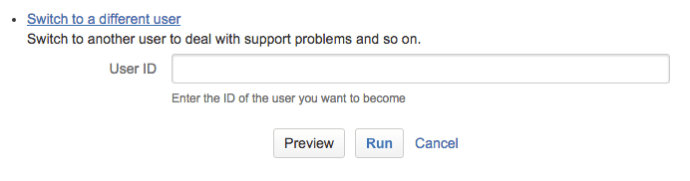
Change / Switch the identity of your JIRA admin user to other JIRA user ( sudo su in JIRA ) with Groovy Scriptrunner
First go to “Add-ons” Then go to “SCRIPT-RUNNER > Built-in Scripts” Then click on “Switch to a different user” And put the username you want to are 🙂
Read More


 www.MrAddon.com ®: Jira & Confluence Administration Support Blog