New version released of Description Templates for Jira Server & Jira Cloud with: All charsets encoding accepted. You can store your template in any language. Enhancements in the UI and UX. Try it free! By MrAddon
Read More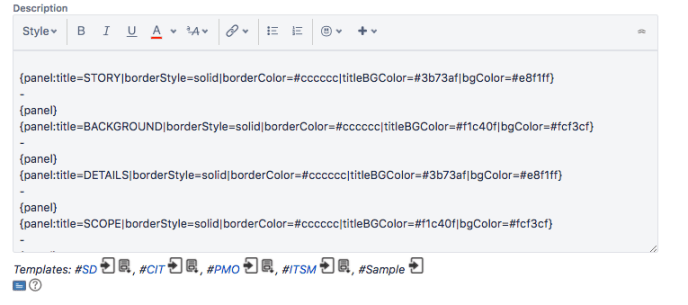

www.MrAddon.com ®: Jira & Confluence Administration Support Blog
jira confluence admin administration support script scriptrunner groovy mraddon barcelona plugin custom development it technology barcelonatech development
New version released of Description Templates for Jira Server & Jira Cloud with: All charsets encoding accepted. You can store your template in any language. Enhancements in the UI and UX. Try it free! By MrAddon
Read More
It’s very easy to do in Jira Server with the help of the awesome plugin Adaptavist Scriptrunner. Just create a new Behaviour ( press “.” and write Behaviours). Associate the Behaviour to your project (and/or issuetype/s). And the click in “Fields” to add the field you want to “observe”. For example, custom field “Jira Category“.…
Read More
IMPORTANT NOTE: these codes would work only if eazyBI is used for Jira Cloud. For more info please see eazyBI support comments (in the comments section of this post) eazyBI does not track the change history for those fields by default. However, you may add those fields to data import. This solution requires changes in…
Read More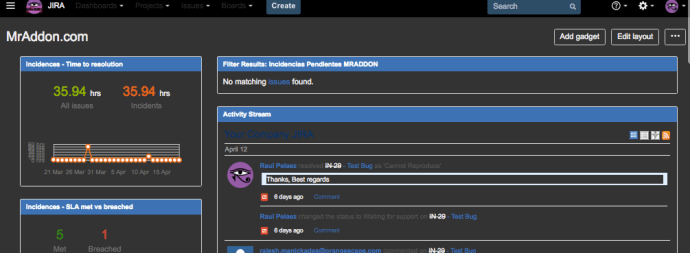
Sometimes, the JIRA Admins spend a lot of time viewing JIRA screens, and by default, the background of these screens are WHITE… it’s very hard for my eyes… As possible solution, we can solve this problem installing a plugin in our Google Chrome Browser called “Stylish“. You can download free here. Once installed in the…
Read MoreThis example show a button in the “More” option of the issue tickets called “Approve this issue“. This button call a Scriptrunner REST custom Endpoint and returns a “flag” Object to be shown as alert in the ticket. First go to “Add-ons-> Scriptrunner –> REST Endpoints” and add this script: Then save the REST Endpoint.…
Read More
New custom JQL function for JIRA 7.x to filter the TOP ROWS of a Query! Very useful! By default filters the TOP 10 rows. The JQL function is writed in Groovy and deployed with Adaptavist Scriptrunner. Syntax example: (to extract the top 20 rows of a project called JIRA) issuefunction in TopRows( “project = JIRA ORDER…
Read More
Do you remember the old post LasCommentContains: New JQL custom function in groovy? With JIRA 7.2 and the new Adaptavist Scriptrunner, the JQL function must be rewrited to work properly. Because after the JIRA migration from JIRA 6.3 to JIRA 7.2 changes a lot of very common classes, etc. You can see the usual changes in…
Read MoreVery easy, see this code:
Read MoreVery easy! Create the required TimeStamps custom fields to fill with a Listener or a PostFunction with Groovy Scriptrunner with a CODE like this Then create a Groovy Scripted Field in JIRA to calculate the SLA (ANS in spanish). You can follow this instructions to create the HTML field Put a code like THIS: That’s…
Read MoreVery easy, first see this instructions to create the Custom Field To remove the decimal part of the resulting number from a division of two custom fields for example, and for adding the final character “%”, you can try to set in the “description” of the custom field (of type “Calculated Number”… for example) a…
Read MoreVery easy with Adaptavist Scriptrunner / Groovy Scriptrunner Create a new field of type “Script Field Scriptrunner” Then go to “cog icon” –> Add-ons –> SCRIPTRUNNER –> Script Fields Select “Template” HTML Then in the script line add a code like this: NOTE: You can avoid a lot of lines of my code, it’s only…
Read MoreOur recommended books:
 |
 |
 |
 |
 |
 www.MrAddon.com ®: Jira & Confluence Administration Support Blog