very easy, the trick is access to the class changeHistoryManager. Try this example in the “Adaptavist Scriptrunner” Script Console view. Just put the ID of the ticket and run the code. You will see always the last change of the issue.
Read More

www.MrAddon.com ®: Jira & Confluence Administration Support Blog
jira confluence admin administration support script scriptrunner groovy mraddon barcelona plugin custom development it technology barcelonatech development
very easy, the trick is access to the class changeHistoryManager. Try this example in the “Adaptavist Scriptrunner” Script Console view. Just put the ID of the ticket and run the code. You will see always the last change of the issue.
Read More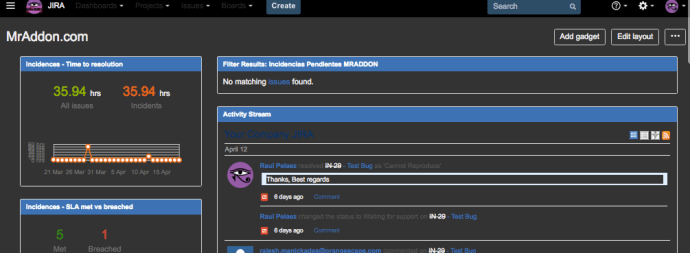
Sometimes, the JIRA Admins spend a lot of time viewing JIRA screens, and by default, the background of these screens are WHITE… it’s very hard for my eyes… As possible solution, we can solve this problem installing a plugin in our Google Chrome Browser called “Stylish“. You can download free here. Once installed in the…
Read More
Very easy with Scriptrunner plugin! Go to “Cog Icon–>Add-ons–>SCRIPTRUNNER–>Script Fragments” Add a Hide option and insert these parameters. NOTE 1: Remember, the option must return “false” to hide the option. NOTE 2: replace “KAN” for the Key of the project you want to apply
Read More
With ScriptRunner is very easy! IMPORTANT NOTE: YOUR JIRA INSTANCE MUST BE A NON-PRODUCTION SERVER Go to “Cog icon–>Add-ons–>SCRIPTRUNNER–>Script Fragments–>Click in “enable” phrase” You will see then the “debug” mode… (more info)
Read MoreThis example show a button in the “More” option of the issue tickets called “Approve this issue“. This button call a Scriptrunner REST custom Endpoint and returns a “flag” Object to be shown as alert in the ticket. First go to “Add-ons-> Scriptrunner –> REST Endpoints” and add this script: Then save the REST Endpoint.…
Read More
WE CELEBRATE THE BLACK MRADDON MONTH! 33% OFF IN ALL MRADDON PLUGINS! OFFER VALID UNTIL 18-03-2017 CLICK HERE TO GET YOUR DISCOUNT!
Read More
New status colors PRO for JIRA Cloud. A lot of new colors for your JIRA statuses COMPATIBLE WITH JIRA SERVICE DESK What is New Status Colors PRO? With this JIRA Server add-on, your JIRA users will live in a full-color world! … more beautiful than the usual and bored “blue”, “yellow”, “green” in the statuses…
Read More
Hi people, We have released a new version of our FREE plugin “New Status Colors” for JIRA. We have added a new words ( “Deny” and “Denied” ) to the RED statuses. Enjoy it & COLORIZE THE WORLD! TRY IT FREE FOREVER! And if you NEED MORE…, try the PRO VERSION! TRY THE PRO VERSION!…
Read More
New custom JQL function for JIRA 7.x to filter the TOP ROWS of a Query! Very useful! By default filters the TOP 10 rows. The JQL function is writed in Groovy and deployed with Adaptavist Scriptrunner. Syntax example: (to extract the top 20 rows of a project called JIRA) issuefunction in TopRows( “project = JIRA ORDER…
Read More
Do you remember the old post LasCommentContains: New JQL custom function in groovy? With JIRA 7.2 and the new Adaptavist Scriptrunner, the JQL function must be rewrited to work properly. Because after the JIRA migration from JIRA 6.3 to JIRA 7.2 changes a lot of very common classes, etc. You can see the usual changes in…
Read More
The most important new features of JIRA Software Server 7.2 are these: The WYSWYG Editor!! Very good The “FLAG & COMMENT” option in the Kanban boards. Very useful! The “Attach Screenshot” option now is missing. But you can Paste pictures inside the Description field and in the comments! Great! The “Export Excel” from Issue Search…
Read More
Some examples of the “resyntax” conversion in Groovy with explicit option. See the entire API changes list here JIRA 6 JIRA 7 JIRA 6 JIRA 7 JIRA 6 JIRA 7 JIRA 6 JIRA 7 JIRA 6 JIRA 7 JIRA 6 JIRA 7 JIRA 6 JIRA 7 JIRA 6 JIRA 7 JIRA 6 JIRA 7 JIRA…
Read MoreOur recommended books:
 |
 |
 |
 |
 |
 www.MrAddon.com ®: Jira & Confluence Administration Support Blog