Sometimes we need to create scripts that checks if the current date is the first monday of the month, or something like this. See here some code tricks to operate with Date/Calendar classes quickly
Read More

www.MrAddon.com ®: Jira & Confluence Administration Support Blog
jira confluence admin administration support script scriptrunner groovy mraddon barcelona plugin custom development it technology barcelonatech development
Sometimes we need to create scripts that checks if the current date is the first monday of the month, or something like this. See here some code tricks to operate with Date/Calendar classes quickly
Read More
Very easy with ScriptRunner, just execute this script in the Script Console. Don’t forgive to configure the date limit to archive (it depends of the release date)! If you see useful, you can configure it in a scheduled Service! Very useful in large Organizations!
Read More
very easy, the trick is access to the class changeHistoryManager. Try this example in the “Adaptavist Scriptrunner” Script Console view. Just put the ID of the ticket and run the code. You will see always the last change of the issue.
Read More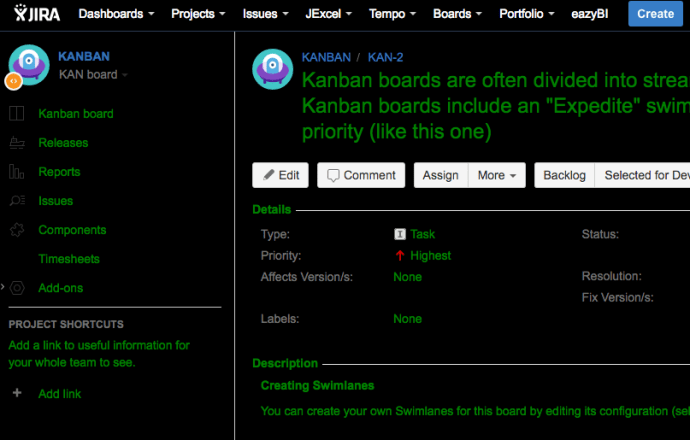
Very easy with ScriptRunner! But first… you need to change the setenv.sh file from your bin folder of JIRA. We need to add to the JVM_REQUIRED_ARGS the system property plugin.resource.directories Once added to the target folder, you can upload here the CSS or JS files you need for you UI customizations. Then RESTART the jira…
Read More
Very easy with Scriptrunner plugin! Go to “Cog Icon–>Add-ons–>SCRIPTRUNNER–>Script Fragments” Add a Hide option and insert these parameters. NOTE 1: Remember, the option must return “false” to hide the option. NOTE 2: replace “KAN” for the Key of the project you want to apply
Read More
With ScriptRunner is very easy! IMPORTANT NOTE: YOUR JIRA INSTANCE MUST BE A NON-PRODUCTION SERVER Go to “Cog icon–>Add-ons–>SCRIPTRUNNER–>Script Fragments–>Click in “enable” phrase” You will see then the “debug” mode… (more info)
Read MoreThis example show a button in the “More” option of the issue tickets called “Approve this issue“. This button call a Scriptrunner REST custom Endpoint and returns a “flag” Object to be shown as alert in the ticket. First go to “Add-ons-> Scriptrunner –> REST Endpoints” and add this script: Then save the REST Endpoint.…
Read MoreOur recommended books:
 |
 |
 |
 |
 |
 www.MrAddon.com ®: Jira & Confluence Administration Support Blog