
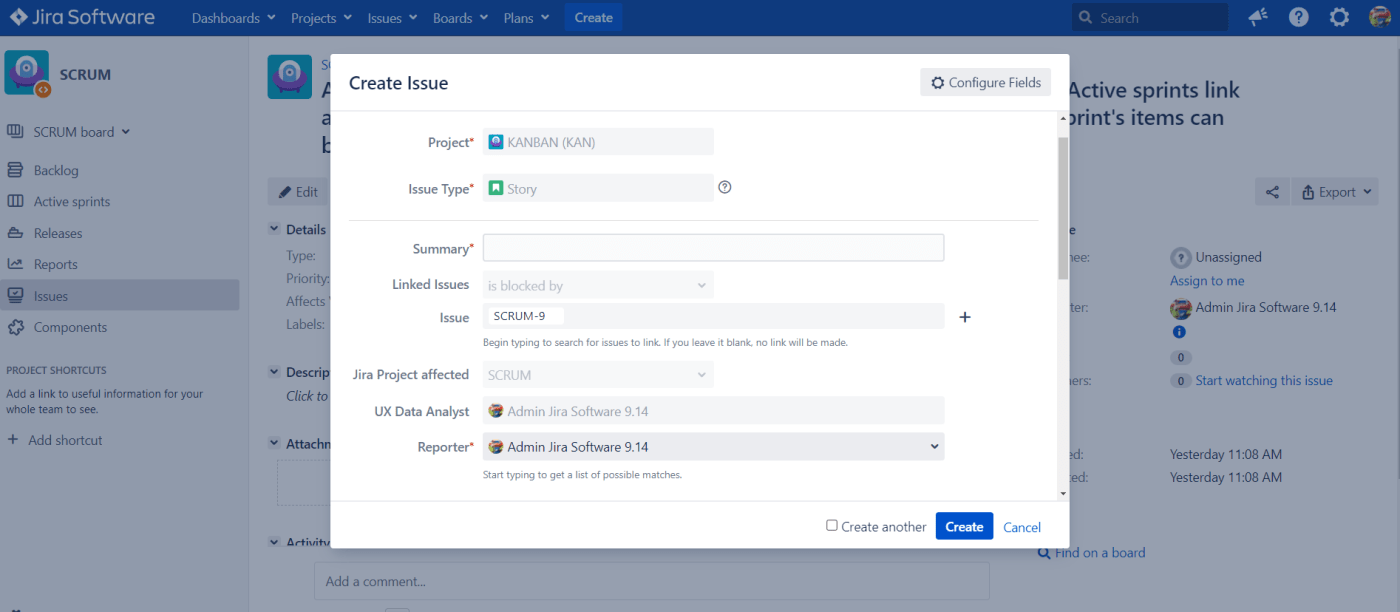
In this example, we explore a new type of UI Fragment in Jira Datacenter named “Constrained Issue”.
A special case of a web item creates a menu item that will open the Create Issue dialog with a predefined project, and optionally issue type.
This can be useful to workflow designers. Imagine a workflow where at one transition the user is required to create a new linked issue. Typically this is done by having a self or any to any transition which will created the linked issue with a post-function. Then the user is required to edit the linked issue further.
Let’s contruct an example. In UI Fragments create a new Fragment of type “Constrained create issue dialog”

Fill the form field options with those values:

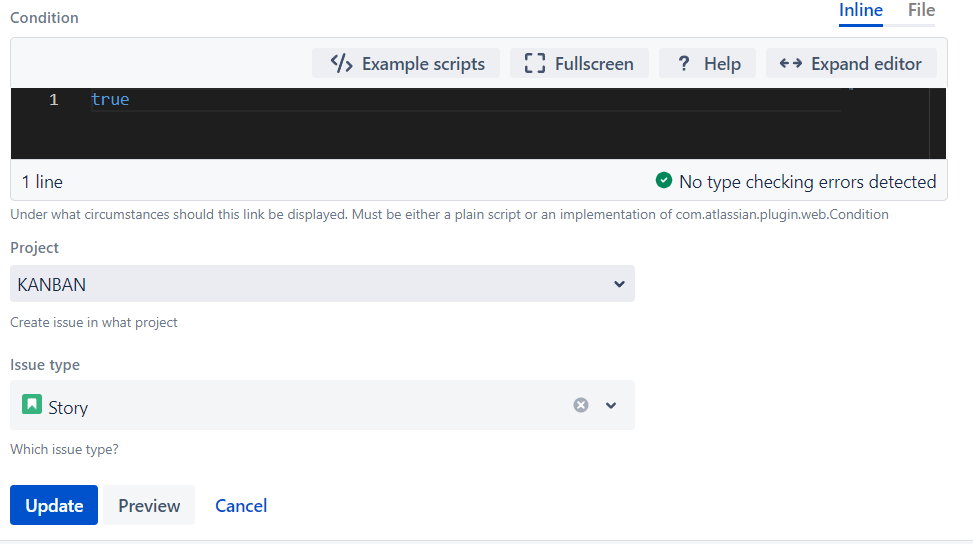
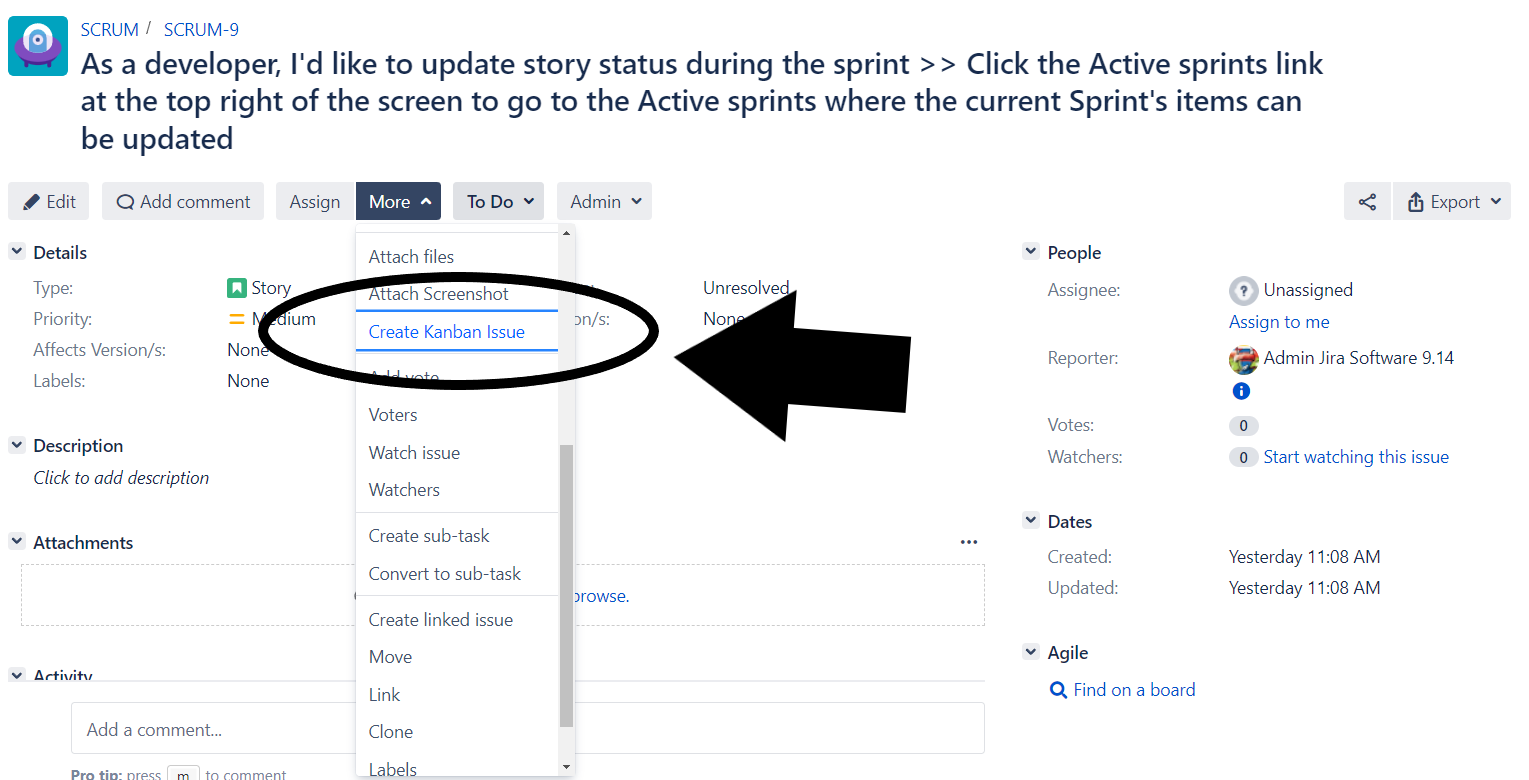
Select the Project and Issuetype and click in Save/Update. Now we have a new option in the “More” button of the all Issues to open the Create Issue dialog.

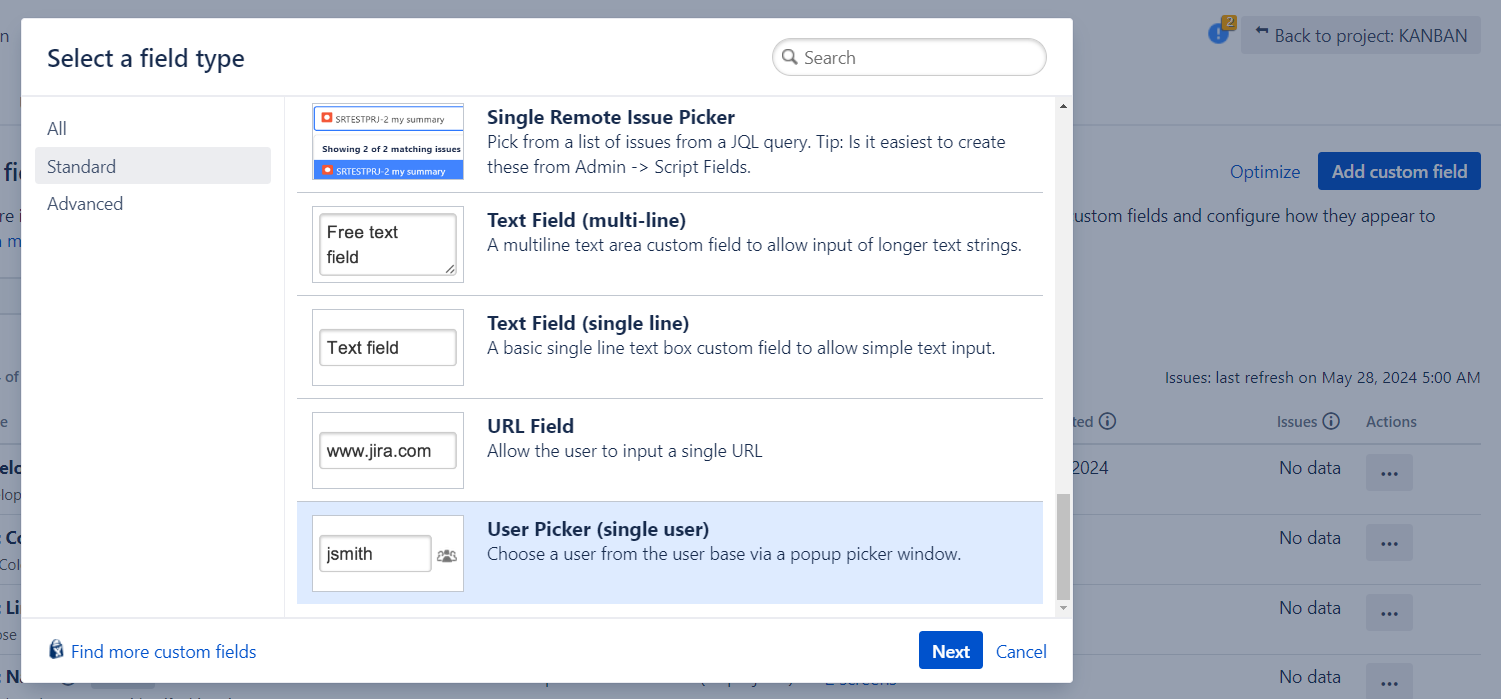
Now let’s do some improvements, we will append 2 new customfields. One of type Single-User Picker and another one of Project picker.
First field: “UX Data Analyst” (User Picker single user)
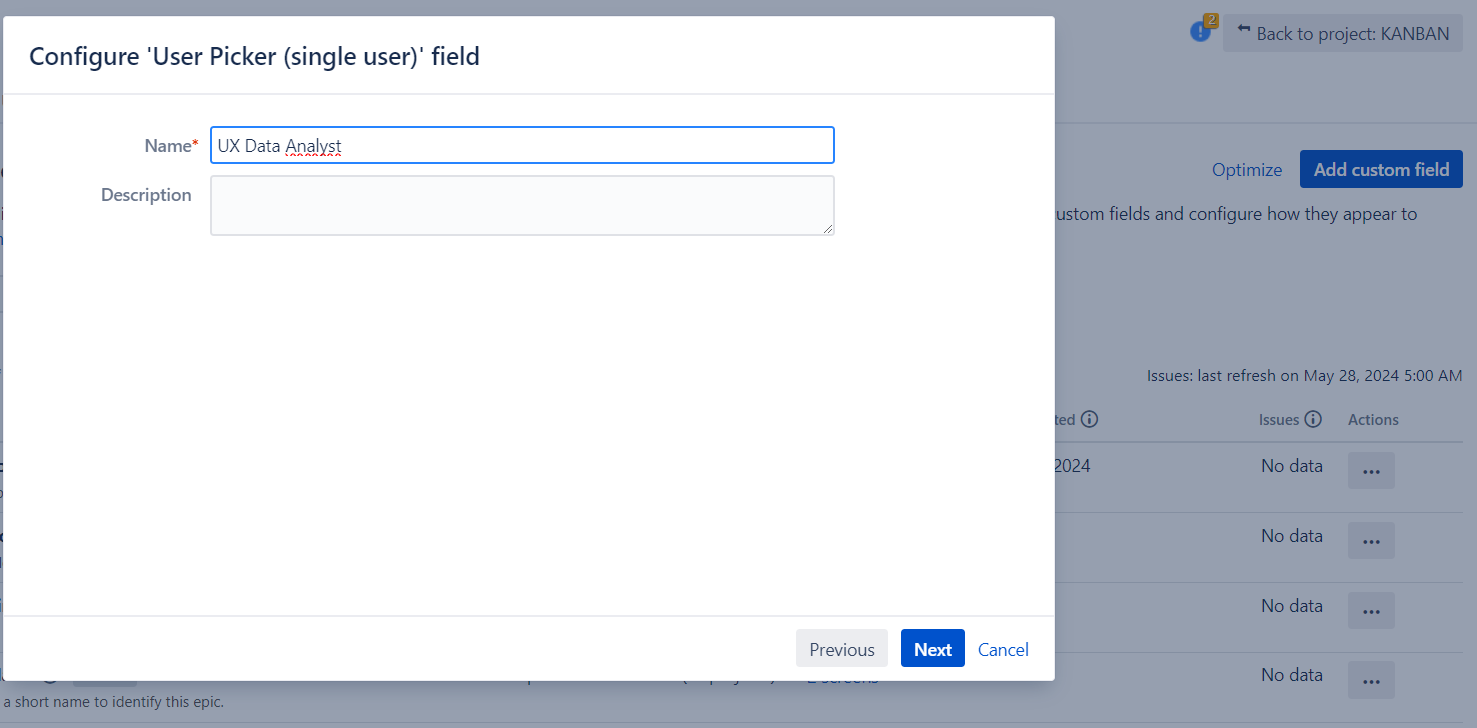
Second field “JIRA Project affected” of type Project picker
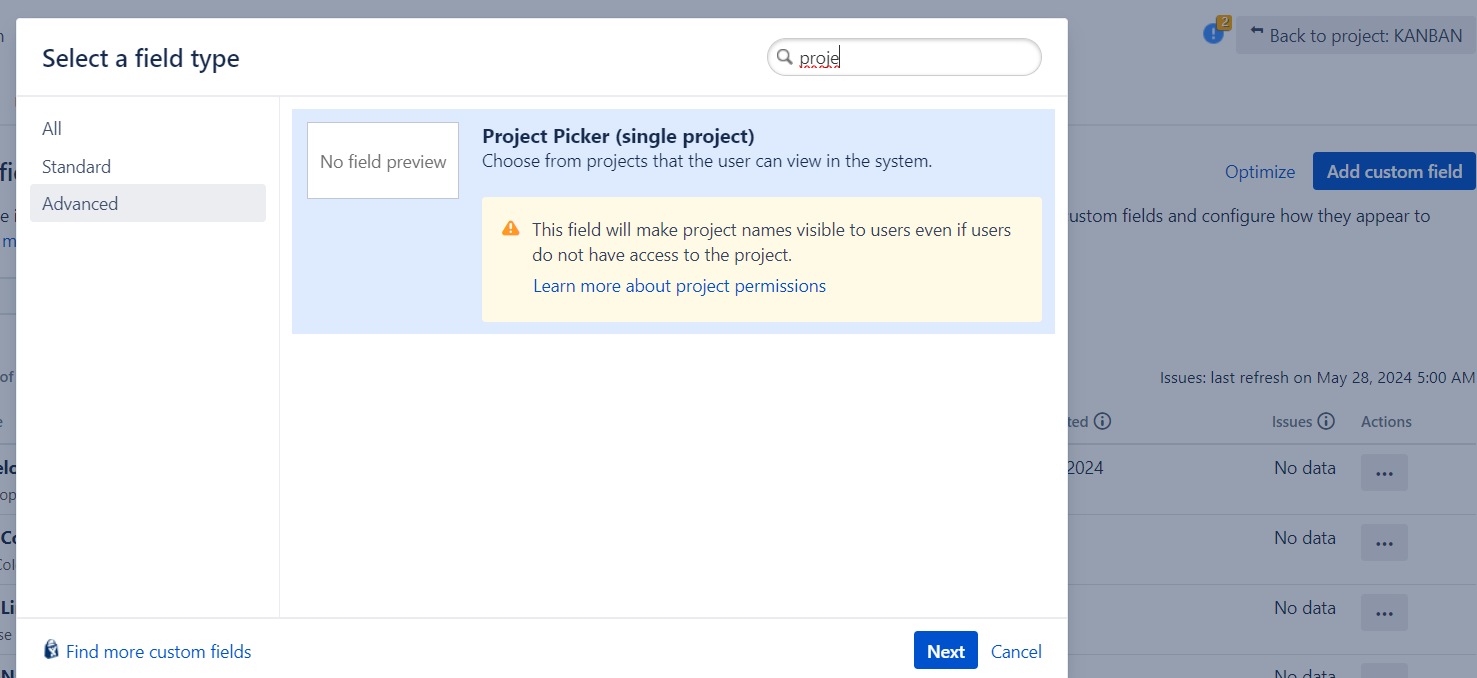
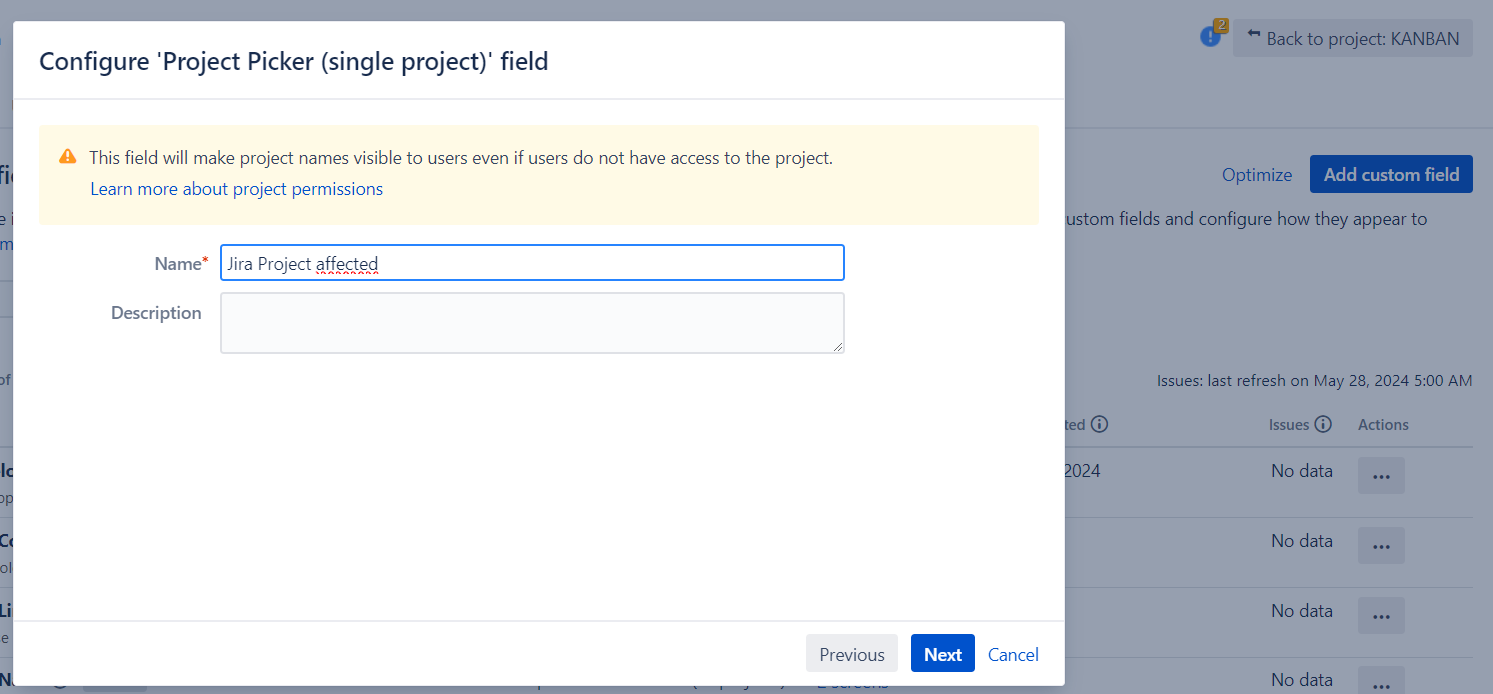
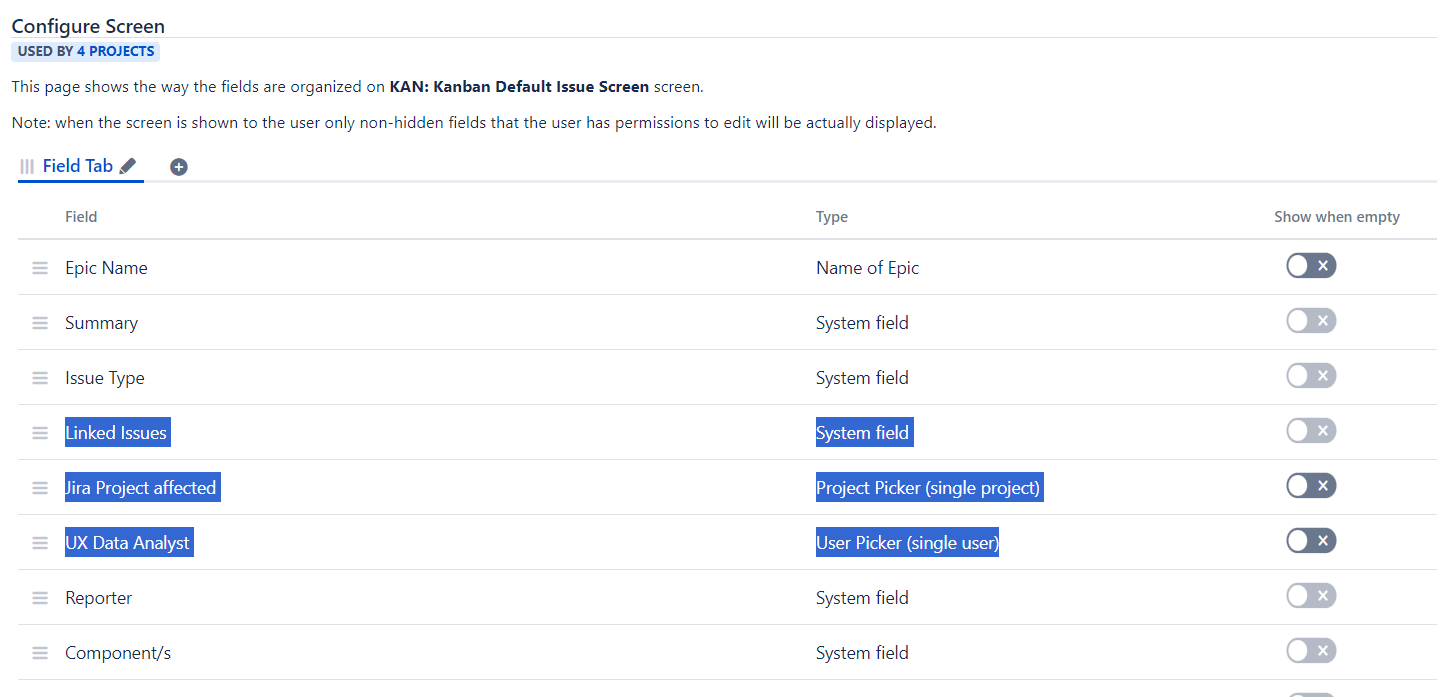
Now it’s turn to place the Customfields in the Screen of the Project
Place also the system field “Linked Issues” we will use it in the next exercise (create the behaviour)
Now it’s turn to create a Behaviour in order to fill automatically the fields (and protect it) in the Issue Create constrained dialog. We will set a default UX Data Analyst and we will put the context Project Issue Key in the Linked Issues with a IssueLinkType in order to auto-link the new Issue once created to the context Issue from you push the button “More”.
Let’s create the initializer:
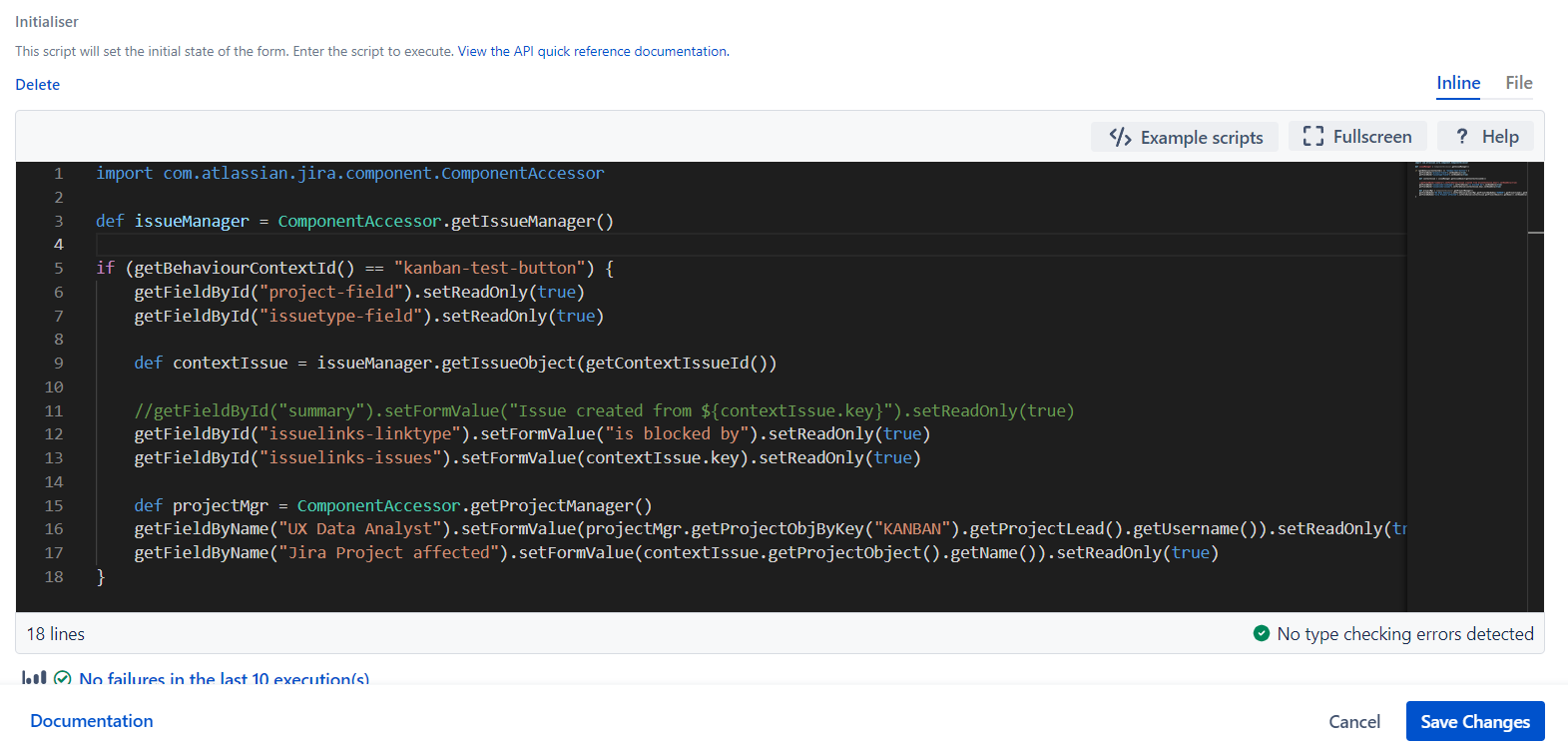
Use these code:
import com.atlassian.jira.component.ComponentAccessor

def issueManager = ComponentAccessor.getIssueManager()

if (getBehaviourContextId() == "kanban-test-button") {
    getFieldById("project-field").setReadOnly(true)
    getFieldById("issuetype-field").setReadOnly(true)

    def contextIssue = issueManager.getIssueObject(getContextIssueId())

    //getFieldById("summary").setFormValue("Issue created from ${contextIssue.key}").setReadOnly(true)
    getFieldById("issuelinks-linktype").setFormValue("is blocked by").setReadOnly(true)
    getFieldById("issuelinks-issues").setFormValue(contextIssue.key).setReadOnly(true)

    def projectMgr = ComponentAccessor.getProjectManager()
    getFieldByName("UX Data Analyst").setFormValue(projectMgr.getProjectObjByKey("KAN").getProjectLead().getUsername()).setReadOnly(true)
    getFieldByName("Jira Project affected").setFormValue(contextIssue.getProjectObject().getName()).setReadOnly(true)
}
Now it’s time to try and see the results 😀 Click in “More” –> “Create Kanban Issue”

Enjoy the exrecise!
MrAddon by TecnoFor by Sngular
.
#AtlassianCreator #Atlassian #Scriptrunner #Datacenter #Fragment #Example #Exercise
.


 www.MrAddon.com ®: Jira & Confluence Administration Support Blog