
New example… remember, to add watchers to the ticket, the ticket must be created previously
Read MoreNew custom Listener for JIRA 6: Add label / Set label when issue created in project X
Veryyyy easy!
Read More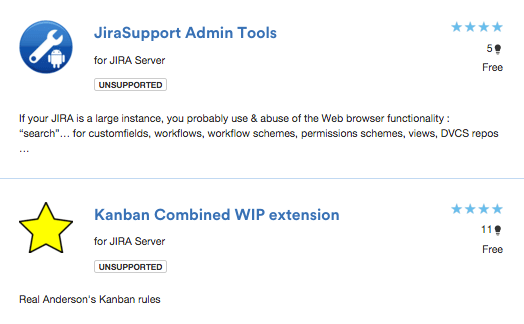
New release of my plugins
Today is a goooood DAY! New release of “Kanban Combined WIP extension” and “JiraSupport Admin tools” plugins for JIRA, mow more COOLs & AMAZINGs! DOWNLOAD FROM ATLASSIAN MARKETPLACE
Read MoreNew JIRA Listener example: Copy ticket & link
LastComment : New Custom Field in JIRA
Download the plugin Kepler Custom Fields Create a SIL Script Custom Field In the custom field configuration set a new script like this: return getLastComment(key)[“text”]; Insert the custom field in the screen That’s all! SIL Syntax programming
Read MoreHow to create and configure CC (Participant) field in JIRA
To enable users to create and configure CC or participant field in JIRA. Create a Custom Field called CC with custom field type as User Picker (multiple user). Add the newly created Custom Field CC to the relevant Screens that you require it for. Go to the relevant project’s Notification Scheme and add notification for…
Read More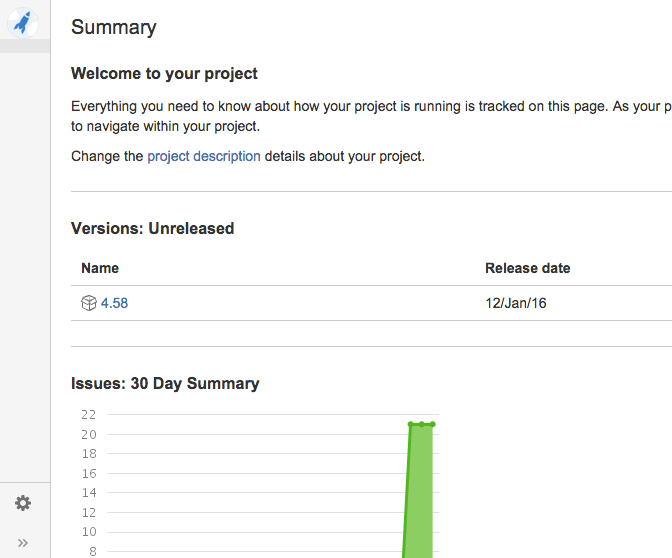
Transform JIRA 6 Project Navigator in the new JIRA 7 Project Navigator with a Dark Feature!
Login as an administrator and go to [BASE-URL]/secure/SiteDarkFeatures!default.jspa In the Enable Dark Feature text field add com.atlassian.jira.projects.ProjectCentricNavigation This will enable the navigation sidebar for ALL users
Read MoreWorkflow properties
jira.field.resolution.exclude Resolution id Add comma-separated resolution ids to the transition properties where you want to not show certain resolutions jira.field.resolution.include Resolution id Add comma-separated resolution ids to the transition properties jira.i18n.submit i18n property key Transition (usage: action submit button name) jira.i18n.title i18n property key Transition (usage: action name, etc.) jira.issue.editable true, false Configuring Workflow Step jira.permission.*…
Read MoreINSTRUCTIONS TO MIGRATE FROM JIRA6 (WAR DISTRIBUTION, NOW OBSOLETE) TO JIRA7 NEW BINARY DISTRIBUTION
First, make a backup of the database (jiradb) and import in the same server (or in different) with name of scheme “jira7db”. With this method you can rollback the process in two minutes and continue with the JIRA 6 version if the process fails. 1. Download the binary distribution: atlassian-jira-software-7.0.3-jira-7.0.3-x64.bin 2. execute ./atlassian-jira-software-7.0.3-jira-7.0.3-x64.bin 3. OK…
Read MoreBest JVM for JIRA: G1 vs CMS vs Parallel GC
This post is following up the experiment we ran exactly a year ago comparing the performance of different GC algorithms in real-life settings. We took the same experiment, expanded the tests to contain the G1 garbage collector and ran the tests on different platform. This year our tests were run with the following Garbage Collectors:…
Read More
NewRelic: The best Monitoring tool for JIRA
Good morning my proletarian psychic workers! 🙂 These days I was working analyzing the transactions of my JIRA to get better performance and to solve different problems. Due this, the first thing to do is to find the best tool to analyze all the http/s requests and querys to the database also the external services,…
Read More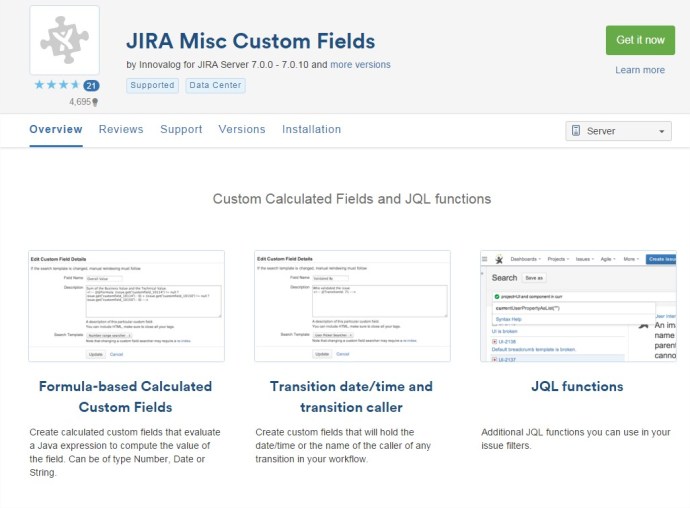
How to create a Custom Field calculated in JIRA with JIRA MISC addon
To create a new custom field calculated, we can use the addon of JIRA “JIRA Misc Custom Fields”. The plugin can be downloaded from: https://marketplace.atlassian.com/plugins/com.innovalog.jmcf.jira-misc-custom-fields/server/overview Example of Custom Field that sum two different Custom Fields: 1.- Go to create new Custom Field. Select Type “Calculated Number Field” 2.- In the “description” of the new customfield set…
Read More


 www.MrAddon.com ®: Jira & Confluence Administration Support Blog