

We have released a new version of our plugins for Jira:
Now with more templates of the description field content ( until 4 Templates each user can save in each navigator/computer).
Now you can save the Name of the Templates!
The Templates are stored in cookies in the client browser.
Take a look in Jira Server:
You will see below the Description field a toolbar like this:

If you press/click the “Load #Sample Template” icon you will see something like this:
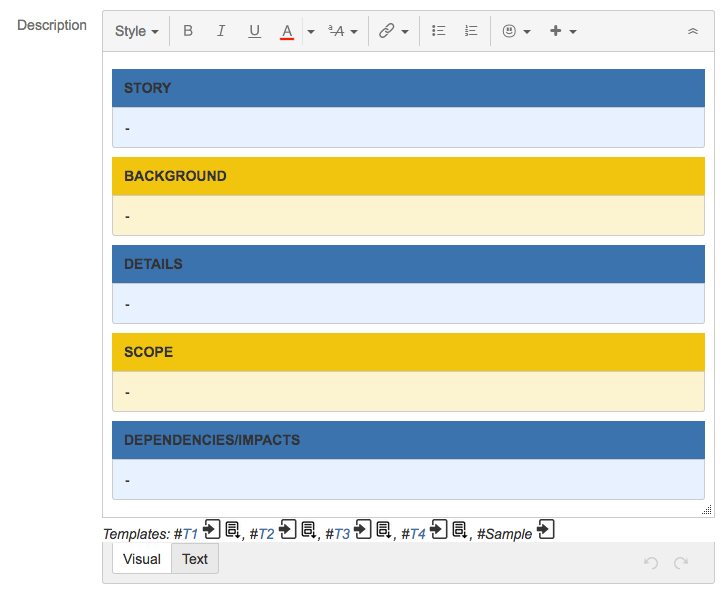
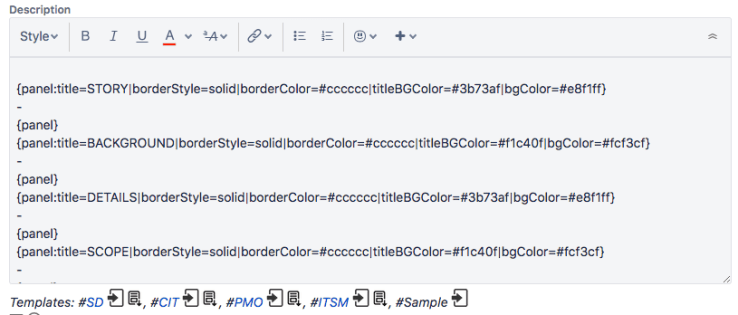
(Important note: write some “space“/”white” character inside the content in “Text mode” is mandatory to see the content well in “Visual mode”).
If you are in Jira Cloud, you must press “New Issue” option in the general Menu of Jira (Instead of the “+” usual button to create new issue).
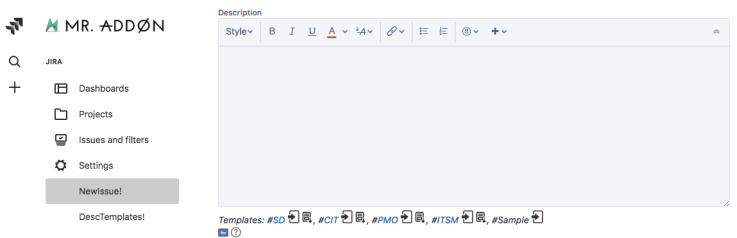
Example of the “#Sample” Template:
By MrAddon


 www.MrAddon.com ®: Jira & Confluence Administration Support Blog
I love this tool! Is there any-way to get this to work with subtasks or sub-issue types?
LikeLiked by 1 person
Hi Jack, yes I can add a new feature to add description templates to subtasks!
I will do this afternoon 😉
thanks for your review! Can you set the review in the marketplace please?
https://marketplace.atlassian.com/apps/1218328/description-templates-for-jira?hosting=server&tab=overview
Best regards
LikeLike
Hi Jack, we have released a new version that you can use with sub-tasks
https://mraddon.blog/2019/03/26/now-description-templates-in-sub-tasks-in-jira-server/
Best regards!
LikeLike