If your images are missing after a page tree movement ( between spaces for example). You can recover the attachments applying this solution.
Read More

www.MrAddon.com ®: Jira & Confluence Administration Support Blog
jira confluence admin administration support script scriptrunner groovy mraddon barcelona plugin custom development it technology barcelonatech development
If your images are missing after a page tree movement ( between spaces for example). You can recover the attachments applying this solution.
Read More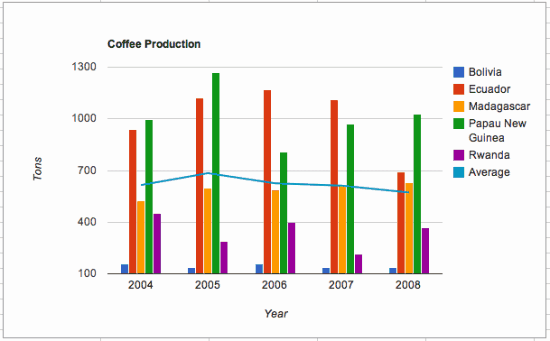
Very easy, see this steps In the Google Sheets charts, click on “Publish Chart” –> “Publish” Copy the URL Then, in your Confluence page, insert a “New Macro” –> “HTML” Insert an with “src” attribute and fill it with the URL See this example:
Read More
Very useful to remember the permissions in Confluence that are really very hard to understand “logically”. Thanks META-Inf team! Learn with gamification technics always is funny! And created with the services of my colleagues of TypeForm from Barcelona! Really Nice two times! DO THE QUIZ!
Read More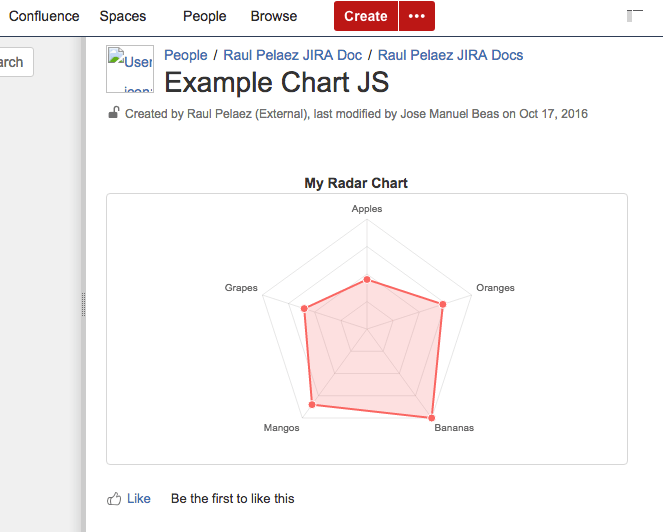
Original POST from Lewe.com and adapted for Confluence 5.10 by MrAddon and Jose Manuel Beas (super Agile coach) Instructions: First go to the Conflunce Configuration/Administration and create two User Macros In the first User Macro: chartjs, put this code (with “No Macro body“): In the first User Macro: radarchart, put this code (with “No Macro body“):…
Read MoreMySQL query to get the last login of all members of the confluence-users group SELECT distinct u.lower_user_name, l.successdate FROM cwd_user u LEFT JOIN logininfo l ON u.user_name = l.username JOIN cwd_membership m ON u.id = m.child_user_id JOIN cwd_group g ON m.parent_id = g.id JOIN spacepermissions sp ON g.group_name = sp.permgroupname WHERE permtype=’USECONFLUENCE’ order by u.lower_user_name; …
Read More
Very easy!… Insert the HTML Macro Inside the Macro put this code:
Read MoreIf you want to navigate Prev/Next anchor with your Chrome between different anchors in the same page of Confluence, there is a trick to do that with a Javacript Macro in the Confluence Page. Insert into the page this piece of code, that’s all!
Read MoreFor Confluence 5.2 and above To change the creator of a specific page Run this SQL query against your database, replacing these values: <lowerusername> with the username of the new creator in lower case ‘the title of the page’ with the page title (case sensitive) <thespacekey> with the spacekey in uppercase update content set creator…
Read MoreSee the first post: https://jirasupport.wordpress.com/2015/06/08/how-do-i-remove-the-side-bar-in-confluence-5/ And modify the CSS Style of the Space ( from Space Admin options) {style} div#breadcrumb-section {display: none;} div#splitter-sidebar {display: none;} div#splitter-button {display: none; disabled: true;} a#doctheme-anchor {cursor: default;pointer-events: none;} {/style}
Read MoreEnabling the HTML Macro The HTML macro is disabled by default. You’ll need Confluence Administrator or System Administrator permissions to enable this macro. Enabling these macros can make your Confluence site vulnerable to cross-site scripting attacks. You should only turn on these macros if you trust all your users not to attempt to exploit them.…
Read MoreOur recommended books:
 |
 |
 |
 |
 |
 www.MrAddon.com ®: Jira & Confluence Administration Support Blog