

One simple way to obtain time measures of JIRA from terminal
The best way is using CURL from command line time curl -D- -u raul.pelaez:*** -X GET -H “Content-Type: application/json” http://127.0.0.1:8080/rest/api/2/search?jql=assignee=raul.pelaez real 0m7.098s user 0m0.004s sys 0m0.012s time curl -D- -u raul.pelaez:*** -X GET -H “Content-Type: application/json” http://10.2.29.224:8080/rest/api/2/search?jql=assignee=raul.pelaez real 0m7.562s user 0m0.008s sys 0m0.008s time curl -D- -u raul.pelaez:*** -X GET -H “Content-Type: application/json” https://jira.domain.com/rest/api/2/search?jql=assignee=raul.pelaez real…
Read More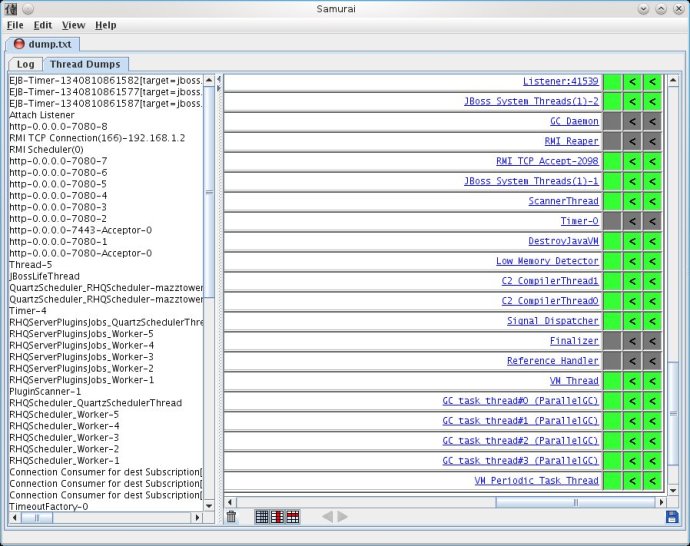
Generating a Thread Dump of JIRA with Jstack
Occasionally, JIRA may appear to ‘freeze’ during execution of an operation. During these times, it is helpful to retrieve a thread dump — a log containing information about currently running threads and processes within the Java Virtual Machine. Taking thread-dumps is a non-destructive process that can be run on live systems. This document describes the…
Read MoreClone or Copy a JIRA Project configuration with Groovy ScriptRunner (With or without issues)
It’s easy, only you need go to “Add-ons” and then to “Built-in Scripts–> Copy Project” Then only fill the form to clone or copy the configuration of a source project.
Read More
Try JIRA 7 / new release of JIRA (only for testing plugins)
DOWNLOAD JIRA 7 RELEASE NOTES Raul comment: The AGILE add-on don’t work with JIRA 7… 😦 Pictures:
Read More
Change / Switch the identity of your JIRA admin user to other JIRA user ( sudo su in JIRA ) with Groovy Scriptrunner
First go to “Add-ons” Then go to “SCRIPT-RUNNER > Built-in Scripts” Then click on “Switch to a different user” And put the username you want to are 🙂
Read MorePostFunction Groovy Script Runner to CLONE issue with different type and Link between
Listener “When Moved tickets to the target Project, remove the field Priority” with Groovy ScriptRunner
Database Custom Fields with Kepler Plugin. Show a list of issues of one JIRA project in a Custom Field
1.- Install the plugin: https://marketplace.atlassian.com/plugins/com.keplerrominfo.jira.plugins.keplercf 2.- Create a Custom Field of the new Type “Database Custom Field” 3.- Go to your apache-tomcat/conf/context.xml and add the Datasource (first you need to install the Database JAR Driver if it’s different database Oracle, MySQL,… for example in apache-tomcat/lib/mysql-connector-java-5.1.17.jar 4.- Restart Tomcat 5.- Go as Admin to –> JIRA –> Add-ons…
Read MoreIs a regular JIRA restart important? TRICK TO SOLVE THE PERFORMANCE DEGRADATION IN JIRA 6.3
Do you restart JIRA e.g. once a week? Is it recomended in order to speed it up? Some users using JIRA very intensively are requesting this, realising that the system is slowing down after a certain time…. VERSION: JIRA 6.3 TRICK 1: The performance increases dramatically if you use Java8 instead of Java7!! SEE MORE: https://confluence.atlassian.com/display/JIRAKB/Java+8+Improves+JIRA+Performance+Dramatically…
Read MorePostFunction to set Date-Time custom field with Groovy Script Runner
How to add new custom JQL Function with ScriptRunner
On {JIRA_GOME}/scripts/ create this folders: For example: ../jira_home/scripts/com/onresolve/jira/groovy/jql Then add the groovy file with the new JQLFunction, exmaple: ABC.groovy Then Go to Addons –> ScriptRunner –> Script JQL Functions –> and then press “Scan” That’s all!
Read More


 www.MrAddon.com ®: Jira & Confluence Administration Support Blog