very easy, the trick is access to the class changeHistoryManager. Try this example in the “Adaptavist Scriptrunner” Script Console view. Just put the ID of the ticket and run the code. You will see always the last change of the issue.
Read More

www.MrAddon.com ®: Jira & Confluence Administration Support Blog
jira confluence admin administration support script scriptrunner groovy mraddon barcelona plugin custom development it technology barcelonatech development
very easy, the trick is access to the class changeHistoryManager. Try this example in the “Adaptavist Scriptrunner” Script Console view. Just put the ID of the ticket and run the code. You will see always the last change of the issue.
Read More
Imagine you want to change the name or the classification of the project “categories” in your JIRA projects… or names of customfields…. Then, a lot of JQL queries and filters will fail… ¿How we can change the JQL sentences in mode massive of all filters of JIRA? The only solution is making the change in…
Read MoreVery easy! First, go to the Project Administration of your target project to remove the option. Then, go to the Field Configuration ( all of them if there are more than one). Edit the “description” of the “description” field ( or some customfield that is visible in the project screens). Add this “javascript” code in…
Read MoreVery easy! Create the required TimeStamps custom fields to fill with a Listener or a PostFunction with Groovy Scriptrunner with a CODE like this Then create a Groovy Scripted Field in JIRA to calculate the SLA (ANS in spanish). You can follow this instructions to create the HTML field Put a code like THIS: That’s…
Read MoreVery easy, first see this instructions to create the Custom Field To remove the decimal part of the resulting number from a division of two custom fields for example, and for adding the final character “%”, you can try to set in the “description” of the custom field (of type “Calculated Number”… for example) a…
Read MoreVery simple! Download the plugin Kepler Custom Fields Create a SIL Script Custom Field In the custom field configuration set a new script like this: return ldapUserRecord(“attribute”, “”, “”, “”, “user@example.com”, “user”); Remember to configure the LDAP connection Go to “Cog icon” –> Addons –> KEPLER –> LDAP Configuration URL = ldap://localhost:389 BIND USER =…
Read More
If your JIRA is a large instance, you probably use & abuse of the Web browser functionality : “search”… for customfields, workflows, workflow schemes, permissions schemes, views, DVCS repos … with this plugin, this functionality is added in the top buttons of each view of the project administration artifacts (with the autocomplete option)… it’s a…
Read MoreDownload the plugin Kepler Custom Fields Create a SIL Script Custom Field In the custom field configuration set a new script like this: return getLastComment(key)[“text”]; Insert the custom field in the screen That’s all! SIL Syntax programming
Read MoreTo enable users to create and configure CC or participant field in JIRA. Create a Custom Field called CC with custom field type as User Picker (multiple user). Add the newly created Custom Field CC to the relevant Screens that you require it for. Go to the relevant project’s Notification Scheme and add notification for…
Read More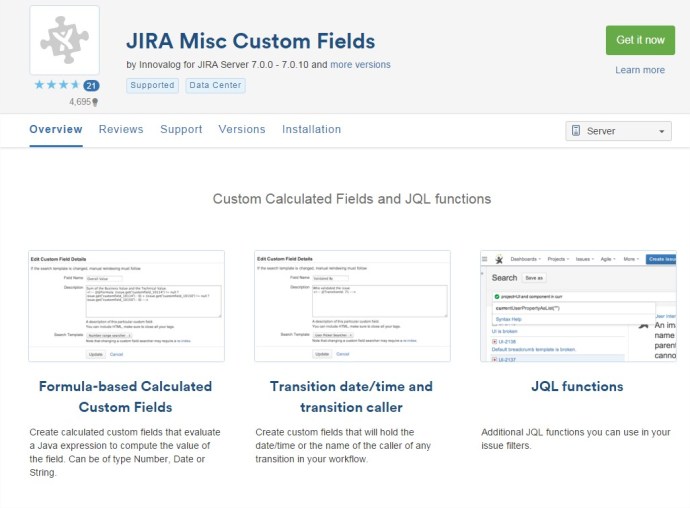
To create a new custom field calculated, we can use the addon of JIRA “JIRA Misc Custom Fields”. The plugin can be downloaded from: https://marketplace.atlassian.com/plugins/com.innovalog.jmcf.jira-misc-custom-fields/server/overview Example of Custom Field that sum two different Custom Fields: 1.- Go to create new Custom Field. Select Type “Calculated Number Field” 2.- In the “description” of the new customfield set…
Read MoreOur recommended books:
 |
 |
 |
 |
 |
 www.MrAddon.com ®: Jira & Confluence Administration Support Blog