
JQL Syntax sample: project = XXX AND issueFunction in UserInRole(” “, assignee, “Developer”) // note the space in the first parameter, this syntax is less efficient issueFunction in UserInRole(” project = XXX “, assignee, “Developer”) //more efficient issueFunction in UserInRole(” project = XXX “, reporter, “Developer”)
Read MoreListener to set a custom field with the last assignee with role X (with Groovy in JIRA)
Service to reindex issues of a filter with Groovy in JIRA
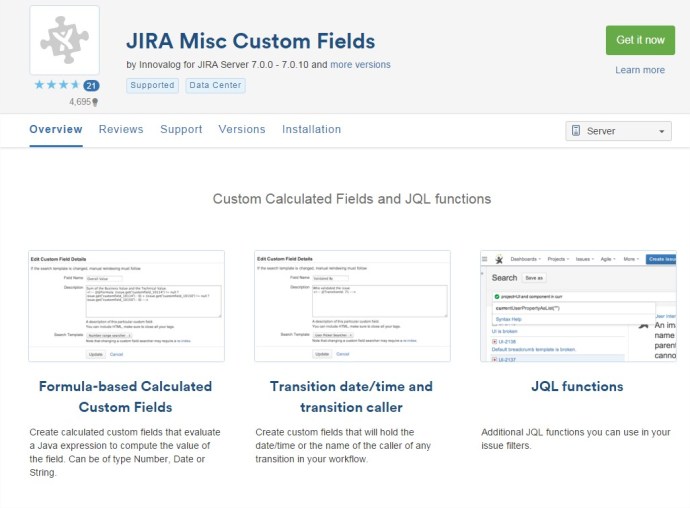
How to create a Custom Field calculated in JIRA with JIRA MISC addon
To create a new custom field calculated, we can use the addon of JIRA “JIRA Misc Custom Fields”. The plugin can be downloaded from: https://marketplace.atlassian.com/plugins/com.innovalog.jmcf.jira-misc-custom-fields/server/overview Example of Custom Field that sum two different Custom Fields: 1.- Go to create new Custom Field. Select Type “Calculated Number Field” 2.- In the “description” of the new customfield set…
Read MoreHow to put additional info in the JIRA login page
It’s very easy! 1.- Go to System –> System Dashboard 2.- Add the gadget “Introduction to JIRA“ 3.- Configure the gadget in System –> General Configuration It works in JIRA 6 & 7 (Optional action) 1.- Go to set the Announcement Banner –> Set to Public 2.- Paste a code like this: See more in:…
Read MoreNew example of Groovy Service for JIRA to ARCHIVE big tasks
How many of you knows, when an issue grows and become a big issue ( for diverse reasons, more comments, more worklogged hous in Tempo, …), then the access to this ticket cost a lot of CPU. In this post I try to make a little example of a Custom Groovy Scriptrunner Service to archive…
Read MoreNew example of JQL Custom function
Here is a function with two input parameters to show, as result, a list of issues that it’s worklogged hours sum more than the input parameter two. It’s an easy function to know how create new JQL custom methods.
Read MoreTutorial – Creating a project template with Standalone artifacts in JIRA 7
1.- First see the instructions of this old post 2.- Change the file /src/main/resources/atlassian-plugin.xml like this. Bassically you need to add <projectTypeKey>business</projectTypeKey> 3.- In the file /src/main/java/com/example/plugins/tutorial/MyAddProjectHook.java change the file to like this:
Read More


 www.MrAddon.com ®: Jira & Confluence Administration Support Blog