
To enable users to create and configure CC or participant field in JIRA. Create a Custom Field called CC with custom field type as User Picker (multiple user). Add the newly created Custom Field CC to the relevant Screens that you require it for. Go to the relevant project’s Notification Scheme and add notification for…
Read More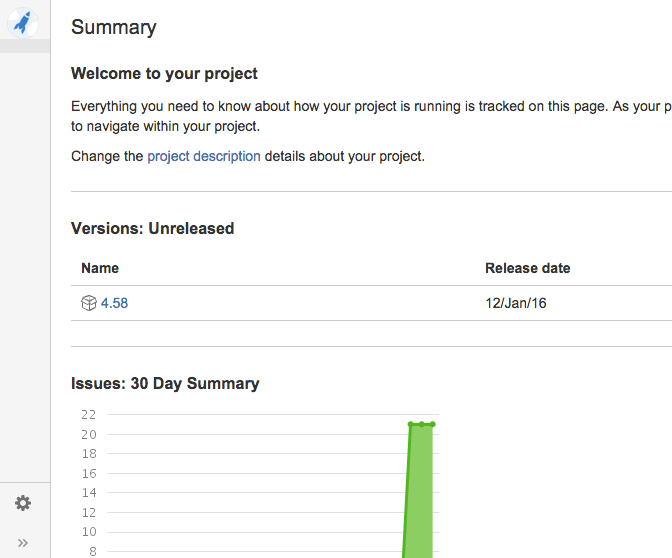
Transform JIRA 6 Project Navigator in the new JIRA 7 Project Navigator with a Dark Feature!
Login as an administrator and go to [BASE-URL]/secure/SiteDarkFeatures!default.jspa In the Enable Dark Feature text field add com.atlassian.jira.projects.ProjectCentricNavigation This will enable the navigation sidebar for ALL users
Read MoreWorkflow properties
jira.field.resolution.exclude Resolution id Add comma-separated resolution ids to the transition properties where you want to not show certain resolutions jira.field.resolution.include Resolution id Add comma-separated resolution ids to the transition properties jira.i18n.submit i18n property key Transition (usage: action submit button name) jira.i18n.title i18n property key Transition (usage: action name, etc.) jira.issue.editable true, false Configuring Workflow Step jira.permission.*…
Read MoreINSTRUCTIONS TO MIGRATE FROM JIRA6 (WAR DISTRIBUTION, NOW OBSOLETE) TO JIRA7 NEW BINARY DISTRIBUTION
First, make a backup of the database (jiradb) and import in the same server (or in different) with name of scheme “jira7db”. With this method you can rollback the process in two minutes and continue with the JIRA 6 version if the process fails. 1. Download the binary distribution: atlassian-jira-software-7.0.3-jira-7.0.3-x64.bin 2. execute ./atlassian-jira-software-7.0.3-jira-7.0.3-x64.bin 3. OK…
Read MoreHow to Show/Hide Custom Field depend on another custom Field Value in JIRA
Copy this code in the description of a custom field (in the Field Configuration linked to the project)
Read More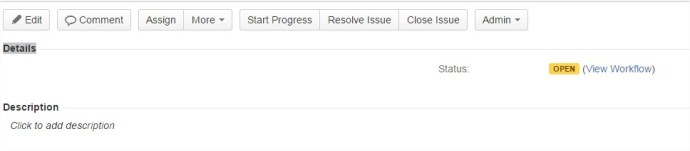
How to Hide JIRA default fields from issue page
Copy this code in the description of a custom field (in the Field Configuration linked to the project)
Read More
How to Hide the “Configure Fields” Button on the Create Issue Screen in JIRA
Copy this code in the description of a custom field (in the Field Configuration linked to the project) Result:
Read MoreChanging Custom Fields Types in JIRA
Certain fields can be safely upgraded, such as Version and Select lists to their multiple values counterpart. You can change the “customfieldtypekey” in the “customfield” table to whatever you need it to be. The table below lists the keys for commonly changed fields. Custom Field Type Type Key Single Version com.atlassian.jira.plugin.system.customfieldtypes:version Multi Version com.atlassian.jira.plugin.system.customfieldtypes:multiversion Single…
Read More
JIRA Drag and Drop Attachment Plugin just disappear….
I had the “JIRA Drag and Drop Attachment Plugin” installed and was working great. But today when I try to use it I discovered the plugin doesn´t appears on the issues. I checked and it´s enabled on the plugin manager…. What’s the problem? If you upgraded to the Drag and Drop plugin version 3.2.5 you…
Read More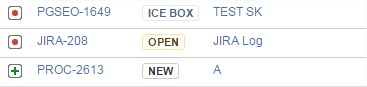
JIRA trick: Set one more category status color! The “undefined color” (black color)
To see one category status color more, you need only: Go to the JIRADB Database Execute SQL: SELECT * FROM jiradb.issuestatus; In the status you need “black color” set the field “STATUSCATEGORY” to 1 That’s all! Supported colors (in the standard) Field Summary Fields Modifier and Type Field and Description static String COMPLETE static String IN_PROGRESS…
Read More


 www.MrAddon.com ®: Jira & Confluence Administration Support Blog