

Sometimes is difficult to extract this info, here the documentation and examples:
| Name | Type | Default | Description |
|---|---|---|---|
| title | String | The title text of the flag. | |
| body | String | The body text of the flag. | |
| type | String | info | Sets the type of the message. Valid options are “info“, “success“, “warning” and “error“. |
| close | String | The closing behaviour that this flag has. Valid options are “manual“, and “auto“. | |
| actions | Object | Map of {actionIdentifier: ‘Action link text’} to add to the flag. The actionIdentifier will be passed to a ‘flag.action’ event if the link is clicked. |
Examples:
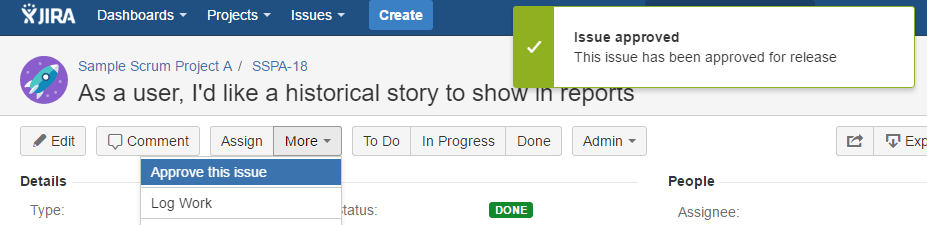
// Display a nice green flag using the Flags JavaScript API.
var flag = AP.flag.create({
  title: 'Successfully created a flag.',
  body: 'This is a flag.',
  type: 'success',
  actions: {
    'actionkey': 'Click me'
  }
});
Other:
def flag = [
type : ‘success’,
title: “Plan reviewed”,
close: ‘auto’,
body : “Deleted outdated artifacts from $planKey”
]
By MrAddon
.


 www.MrAddon.com ®: Jira & Confluence Administration Support Blog