
In this post, we want to show how IPFS works using only HTML and Javascript (This is not another Node.js server example code…)
First we cant try the example of the IPFS team.
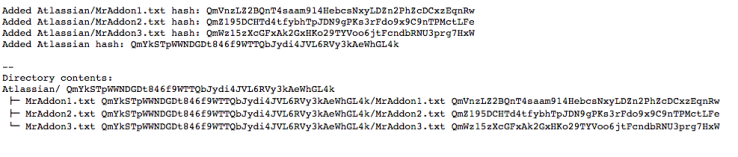
It’s an example to push 3 files in a Folder and obtain the list of hashes. You can try here.
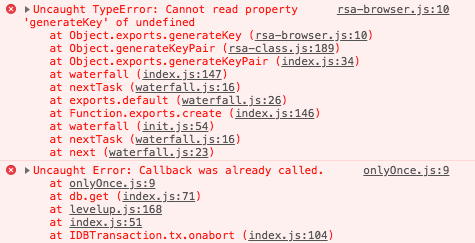
(Note: The pages only work locally or in https connections, see issue)
Continuing, if you inspect the code, you will see we load always the script resource:
https://unpkg.com/ipfs/dist/index.js

And then we wait the loading of IPFS to start the pushing of files.
const repoPath = 'ipfs-' + Math.random()
const ipfs = new Ipfs({ repo: repoPath })


ipfs.on('ready', () => {
  const directory = 'Atlassian'

  // Our list of files
  const files = createFiles(directory)

  streamFiles(directory, files, (err, directoryHash) => {
    if (err) {
      return log(`There was an error adding the files ${err}`)
    }

    ipfs.ls(directoryHash, (err, files) => {
      if (err) {
        return log(`There was an error listing the files ${err}`)
      }

      log(`
--
Directory contents:
${directory}/ ${directoryHash}`)

      files.forEach((file, index) => {
        log(` ${index  {
  return [{
    path: `${directory}/MrAddon1.txt`,

    // content could be a stream, a url etc
    content: ipfs.types.Buffer.from('MrAddon one', 'utf8')
  }, {
    path: `${directory}/MrAddon2.txt`,
    content: ipfs.types.Buffer.from('MrAddon two', 'utf8')
  }, {
    path: `${directory}/MrAddon3.txt`,
    content: ipfs.types.Buffer.from('MrAddon three', 'utf8')
  }]
}

const streamFiles = (directory, files, cb) => {
  // Create a stream to write files to
  const stream = ipfs.files.addReadableStream()
  stream.on('data', function (data) {
    log(`Added ${data.path} hash: ${data.hash}`)

    // The last data event will contain the directory hash
    if (data.path === directory) {
      cb(null, data.hash)
    }
  })

  // Add the files one by one
  files.forEach(file => stream.write(file))

  // When we have no more files to add, close the stream
  stream.end()
}

const log = (line) => {
  document.getElementById('output').appendChild(document.createTextNode(`${line}\r\n`))
}
By MrAddon


 www.MrAddon.com ®: Jira & Confluence Administration Support Blog
Here a more actually example of IPFS communication using HTML and Javascript
LikeLiked by 1 person