
1.- First see the instructions of this old post 2.- Change the file /src/main/resources/atlassian-plugin.xml like this. Bassically you need to add <projectTypeKey>business</projectTypeKey> 3.- In the file /src/main/java/com/example/plugins/tutorial/MyAddProjectHook.java change the file to like this:
Read MoreCustom JQL Function “HasInactiveReporter” and “HasInactiveAssignee” compatible with JIRA 7
New Listener assign issue depends of the issue type in JIRA
How to Show/Hide Custom Field depend on another custom Field Value in JIRA
Copy this code in the description of a custom field (in the Field Configuration linked to the project)
Read MoreTutorial – Creating a project template with Standalone artifacts in JIRA
First create the plugin like the Atlassian recommendations Additionally in the dependences ( pom.xml ) put this dependences Additionally in the MyAddProjectHook put this code to create a new scheme for all artifacts, additionally you can create a Permission Scheme called “Template”, in this case this permissions will be cloned also:
Read MoreTrick to navigate Prev/Next with Anchors in Confluence
If you want to navigate Prev/Next anchor with your Chrome between different anchors in the same page of Confluence, there is a trick to do that with a Javacript Macro in the Confluence Page. Insert into the page this piece of code, that’s all!
Read More
JIRA Drag and Drop Attachment Plugin just disappear….
I had the “JIRA Drag and Drop Attachment Plugin” installed and was working great. But today when I try to use it I discovered the plugin doesn´t appears on the issues. I checked and it´s enabled on the plugin manager…. What’s the problem? If you upgraded to the Drag and Drop plugin version 3.2.5 you…
Read More
Script JQL Functions: Included Functions in Groovy ScriptRunner
JQL functions: hasComments commented lastComment lastUpdated hasAttachments fileAttached workLogged dateCompare hasSubtasks subtasksOf parentsOf hasLinks hasLinkType linkedIssuesOf linkedIssuesOfRecursive linkedIssuesOfRecursiveLimited expression aggregateExpression issueFieldMatch issueFieldExactMatch myProjects recentProjects projectMatch / componentMatch / ver earliestUnreleasedVersionByRelease addedAfterSprintStart removedAfterSprintStart incompleteInSprint completeInSprint nextSprint previousSprint inSprint(board name, sprint name) See more in Adaptavist ScriptRunner
Read More
JIRA trick: Set one more category status color! The “undefined color” (black color)
To see one category status color more, you need only: Go to the JIRADB Database Execute SQL: SELECT * FROM jiradb.issuestatus; In the status you need “black color” set the field “STATUSCATEGORY” to 1 That’s all! Supported colors (in the standard) Field Summary Fields Modifier and Type Field and Description static String COMPLETE static String IN_PROGRESS…
Read More
Multi-column WIP Limits with JIRA Agile in JIRA
NOTE: In this moment I have created a new PLUGIN TO DO THIS. At mobile.de many teams use Kanban to organise their project work. JIRA together with theJIRA Agile plugin (formerly known as Greenhopper) allows you to configure and maintain an electronic Kanban board and even define WIP limits per column. However, if you’d like to have multi-column WIP…
Read More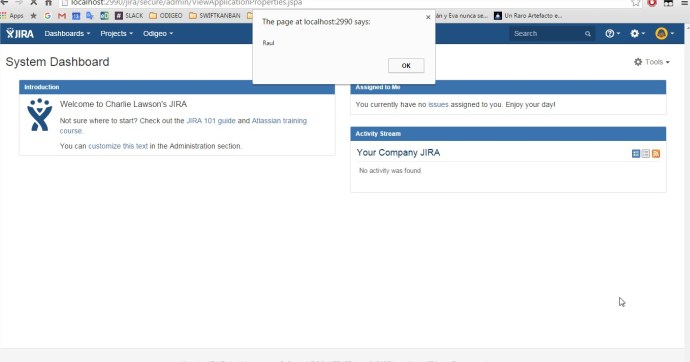
Create a new plugin / add-on in JIRA to set custom CSS and Javascript / JS in all pages
Creating our first JIRA plugin “Hello World”: enter in C:\atlastutorial atlas-create-jira-plugin Enter 1 for JIRA 5 groupId: com.atlassian.tutorial artifactId: helloworld version: 1.0-SNAPSHOT package: com.atlassian.tutorial.helloworld Press Y to continue Browse to and open the atlastutorial/helloworld/src/main/resources/atlassian-plugin.xml file Modify helloworld.js and add inside a piece of code like this: “alert(“Hola!”)” Modify the tag <context> to active the Javascript…
Read More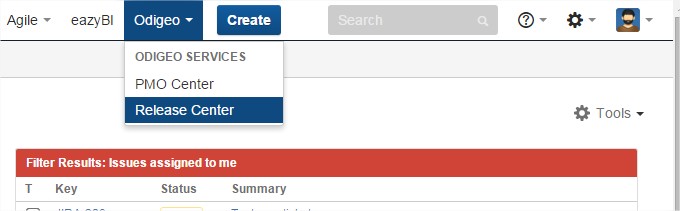
Create a new Add-on or Plugin in JIRA to show more options in the Main Menu /General Menu
Creating our first JIRA plugin “Hello World”: enter in C:\atlastutorial atlas-create-jira-plugin Enter 1 for JIRA 5 groupId: com.atlassian.tutorial artifactId: helloworld version: 1.0-SNAPSHOT package: com.atlassian.tutorial.helloworld Press Y to continue Add a module to the plugin: enter in C:\atlastutorial atlas-create-jira-plugin-module Select the 30 Web Section item by entering 30. Answer each question as follows: Question Value Description…
Read More


 www.MrAddon.com ®: Jira & Confluence Administration Support Blog